ZEBRA Timer-thermostat
v 0.V 12/170 TAGBASE 19
ES
EN
Turning off the zones
Specific zones are turned off from the corresponding
thermostat:
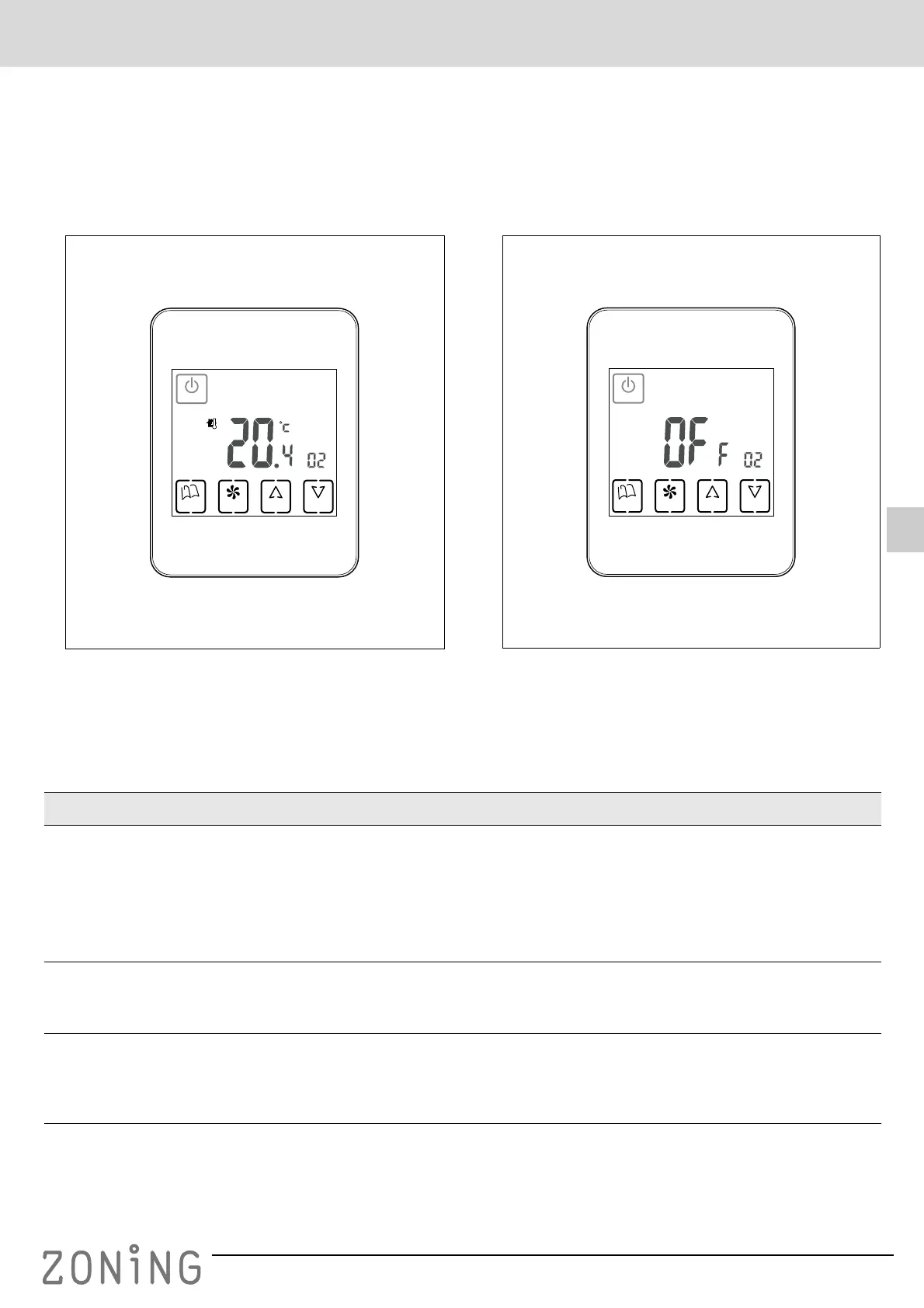
1 Press the “POWER” button on the thermostat for the
zone that you want to deactivate. The display will only
indicate the ambient temperature and the zone
identifier, as shown in the following figure:
Fig. 6 Zone turned off
Turning off the whole system
The complete system can only be turned off using the
MASTER thermostat:
1 Press the “POWER” button for five seconds
continuously, until only the word OFF appears on the
display and the zone indicator, as can be seen in the
following figure:
Fig. 7 System completely turned off
G Troubleshooting
POWER
UP DOWNFANMODE
ID
POWER
UP DOWNFANMODE
ID
Failures Causes and solutions
There is a zone which does not work
Check that:
• There is no programming enabled.
• The MASTER thermostat is not OFF.
• ECO temperature is not enabled.
• The external power supply of the thermostat (12VDC, 0.3VA) is working
correctly.
There is a zone which takes a long
time to close
• The last zone which remains open always closes with a 30-second delay. This
is not an anomaly, occurring only in the last open zone.
• Faulty power supply.
Some keys are locked
• If the locked indicator is lit up (padlock), this thermostat is configured as the
Slave and the keys pressed do not have any functions. Carry out the operations
in the Master thermostat.
• If weekly programming is not enabled, check with your installer for unlocking.


 To Next Page