Need help?
Do you have a question about the Zoom F-Control FRC-8 and is the answer not in the manual?
Instructions for installing and using AA batteries for power.
Steps for connecting an external DC power supply.
How to power the FRC-8 via USB bus power from a compatible device.
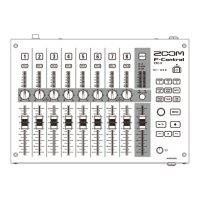
Controls for track level adjustment, trim, and pan.
Fader and select key for adjusting output levels.
Indicators for signal levels and remaining battery power.
Keys for accessing menus, shortcuts, and playback control.
Control and jack for headphone volume and connection.
USB port for connecting a PC keyboard for text input.
USB port for connecting to compatible F Series devices.
Connector for the external DC power supply.
Jack to monitor audio signals from compatible F Series devices.
Details on power sources and consumption.
Estimated operating duration with different battery types.
List of available connectors and their specifications.
External dimensions and weight of the main unit.
 General
| Number of Channels | 8 |
|---|---|
| Connectivity | USB |
| Type | Control Surface |
| Faders | 8 |
| Knobs | 8 |
| Faders (motorized) | No |
| Compatibility | Zoom F8, F8n, F4, F6 |
| Dimensions | 60 mm |
| Weight | 1.0 kg |
| Power | USB |

 To Next Page