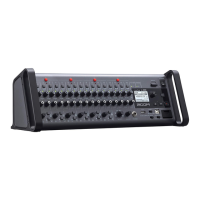
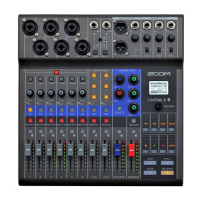
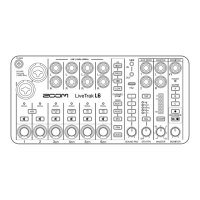
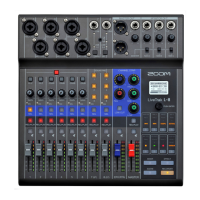
Need help?
Do you have a question about the Zoom LiveTrak L-20 and is the answer not in the manual?
Step-by-step guide on how to power on the L-20, including initial connections and checks.
Procedure for safely powering down the device, including saving settings.
Guides on using channel strip controls to modify EQ, panning, and polarity for individual channels.
Instructions for applying and adjusting the send effects (EFX1/EFX2) to audio channels.
Essential steps before recording, including SD card insertion and formatting.
Process for recording new tracks, overdubbing, and managing recording standby and start.
How to select and play back recorded audio files from the SD card.
Procedure for creating a final stereo mix by recording tracks to the master track.
Setting up automatic recording start/stop and utilizing the pre-recording feature.
Covers saving, selecting, renaming, deleting, and protecting projects.
Transferring project data from the SD card to a USB flash drive for backup or transfer.
Copying project data from a USB flash drive back to the SD card.
Guide to downloading and installing the necessary software driver for computer connectivity.
Steps for establishing a USB connection between the L-20 and a computer for audio interface use.
 General
| Tracks | 22 |
|---|---|
| Inputs | 20 |
| Built-in Effects | Yes |
| USB Audio Interface | Yes |
| SD Card Recording | Yes |
| Type | Digital |
| Channels | 20 |
| Outputs - Main | 2 x XLR |
| Computer Connectivity | USB |
| A/D Resolution | 24-bit/96kHz |
| Bluetooth Connectivity | No |
| Recording Format | WAV |
| Phantom Power | Yes |
| Inputs - Mic Preamps | 16 |
| Outputs - Monitor | 6 x 1/4" |
| EQ Bands | 3-band |
| Aux Sends | 6 |
| Effects | Reverb, Delay, Chorus |
| USB | USB 2.0 |
| Faders | 20 |
| Internal Recording | Yes |
| Headphone Outputs | 2 |
| Simultaneous Recording | 20 tracks |
| Playback | 22 tracks |
| Outputs | 6 |

 To Next Page