EasyManua.ls Logo

Zoom L-8 LiveTrack - User Manual

Zoom L-8 LiveTrack
113 pages
Print Icon
To Next Page IconTo Next Page
Loading...
© 2019 ZOOM CORPORATION
Copying or reprinting this manual in part or in whole without permission is prohibited.
Product names, registered trademarks and company names in this document are the property of their respective companies. All trademarks and registered
trademarks in this document are for identification purposes only and are not intended to infringe on the copyrights of their respective owners.
Proper display is not possible on grayscale devices.
You must read the Usage and Safety Precautions before use.
Operation Manual

Table of Contents

Question and Answer IconNeed help?

Do you have a question about the Zoom L-8 LiveTrack and is the answer not in the manual?

Summary

Operation Manual Overview

Manual Usage Guidance

Provides guidance on how to use and keep the manual accessible for future reference.

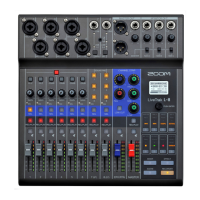
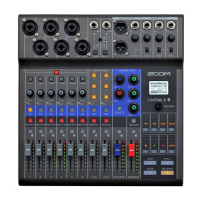
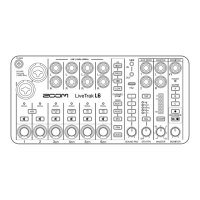
Introduction to ZOOM LiveTrak L-8

Key Features of the L-8

Overview of the main capabilities and functionalities of the ZOOM LiveTrak L-8 mixer and recorder.

Device Components and Functions

Top Panel Controls

Detailed explanation of the controls, connectors, and indicators on the top panel of the device.

Mixer Operations

Outputting Sounds for Monitoring

Guide on how to adjust input signals and set output volumes for monitoring purposes.

Recorder Mode Functions

Recording, Overdubbing, and Playback

Instructions for simultaneous recording, overdubbing, and playback of audio tracks.

Mixing Down Tracks to Master

Process for creating a final stereo mix from recorded tracks.

SOUND PAD Functionality

Assigning Audio Files to SOUND PADs

Steps to load custom audio files or built-in sounds onto the SOUND PAD buttons for playback.

Audio Interface Setup

Installing Necessary Drivers

Guide for downloading and installing software required for computer connectivity.

Connecting to a Computer

Steps to establish a connection between the device and a computer via USB.

SD Card Management

Formatting SD Cards

Instructions for preparing an SD card for reliable recording and playback.

System Settings and Configuration

Adjusting the Sampling Rate

Adjusting the audio sample rate, affecting recording format and feature availability.

Troubleshooting Common Issues

General Operational Problems

Common issues and solutions for device operation and audio problems.

Technical Specifications

Zoom L-8 LiveTrack Specifications

General IconGeneral
BrandZoom
ModelL-8 LiveTrack
CategoryMusic Mixer
LanguageEnglish

Related product manuals