Need help?
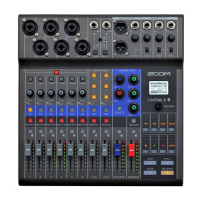
Do you have a question about the Zoom L-8 LiveTrak and is the answer not in the manual?
Illustrates how to connect devices for podcasting and live PA systems.
Details the audio input, processing, and output order through the mixer.
Explains how to select operation modes and use function buttons for device control.
Step-by-step guide to safely power up the LiveTrak L-8 unit.
Instructions for properly shutting down the L-8, including saving current mixer settings.
Details how to select inputs for channels 7 and 8, including LINE, Smartphone, and USB.
Steps for initializing and starting new recording projects on the L-8, including SD card insertion.
Process for starting, managing, and stopping audio recording sessions on the L-8.
Guide on how to playback recorded tracks, including starting, pausing, and stopping.
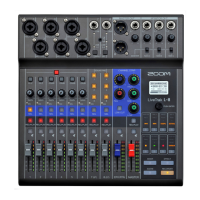
Overview of mixer channel features like EQ, PAN, and effect sends for channels 1-6.
Details on the L-8's multi-track recording, overdubbing, and playback capabilities.
Configuration options for recorder, SD cards, and general device preferences.
Information on using the L-8 as a 12-in/4-out USB audio interface.
Operations for managing recording projects, including selection, naming, and deletion.
 General
| Type | Digital Mixer |
|---|---|
| Number of Channels | 8 |
| A/D Resolution | 24-bit/96kHz |
| Built-in Effects | Yes |
| Bluetooth Connectivity | No |
| Outputs | 2 x TRS |
| Phantom Power | Yes |
| USB Audio Interface | Yes |
| Recording | SD Card |
| Playback | SD Card, USB |
| Power Source | AC Adapter |
| EQ Bands | 3-band EQ |
| Effects | Reverb, Chorus, Delay |
| USB | Yes (Type B) |
| Computer Connectivity | Yes |
| Inputs | 6 x XLR/TRS Combo Jacks, 2 x TRS |

 To Next Page