EasyManua.ls Logo

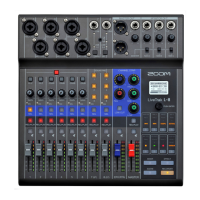
Zoom LiveTrak L-20R - User Manual

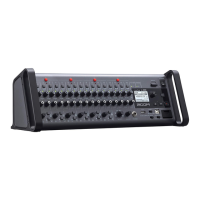
Zoom LiveTrak L-20R
120 pages
Print Icon
To Next Page IconTo Next Page
Loading...
© 2019 ZOOM CORPORATION
Copying or reprinting this manual in part or in whole without permission is prohibited.
Product names, registered trademarks and company names in this document are the property of their respective companies. All trademarks and regis-
tered trademarks in this document are for identification purposes only and are not intended to infringe on the copyrights of their respective owners.
Proper display is not possible on grayscale devices.
You must read the Usage and Safety Precautions before use.
Operation Manual

Table of Contents

Other manuals for Zoom LiveTrak L-20R

Question and Answer IconNeed help?

Do you have a question about the Zoom LiveTrak L-20R and is the answer not in the manual?

Summary

Main Features of the L-20 R

20-Channel Digital Mixer & Multitrack Recorder

Describes the mixer's 20 input channels and multitrack recording capabilities.

High-Quality Mic Preamps

Details the quality and specifications of the built-in microphone preamplifiers.

Recorder: 22 Tracks Record, 20 Tracks Playback

Covers the simultaneous recording and playback capacities of the unit.

22-in;4-out USB Audio Interface

Describes the L-20R's functionality as a USB audio interface.

Input Channel Section

GAIN Knob Operation

Describes how to use the GAIN knob to adjust input gain.

Display Section Overview

Remote Jack and Power Switch

Explains the remote connection and how to turn the unit on and off.

Equipment Connection Examples

Live PA System Setup

Shows a connection example for a live PA system setup.

Installing the L-20 Control App

L-20 Control Operation Screen Layout

Input Channels Section

Explains the input channel section of the app interface for parameter adjustment.

Input Channel Section Details

Channel Fader and Level Meter

Details how to use the channel fader for volume adjustment and the level meter.

Master Section Controls

Master Fader and Level Meters

Recorder Panel Overview

Toolbar for Screen Access

Channel Strip Functionality

Details the channel strip for adjusting individual channel parameters precisely.

Effects and Graphic Equalizer Access

Accesses and adjusts built-in effects and the graphic equalizer.

Channel Strip Detailed Controls

EQ Knobs and Send EFX Controls

Details the EQ knobs for tone adjustment and SEND EFX knobs for effect routing.

Turning the Power On

Turning the Power Off

Pairing the L-20 R with an iPad

Mixer Operation: Outputting Sound

Outputting Sound from Speakers

Step-by-step guide for routing audio to speakers via main outputs.

Outputting Sound from Headphones

Guides the user on connecting and routing audio to headphones for monitoring.

Adjusting Tone and Panning

Recording and Playback Preparation

Inserting SD Cards for Recording

Guides the user on inserting an SD card correctly for recording operations.

Recording, Overdubbing, and Playing Recordings

Starting a New Recording Session

Step-by-step instructions for starting a new recording on the L-20R.

Playing Back Recorded Audio

Using Audio Interface Functions

Installing the ZOOM L-20 Driver

Guides the user through downloading and installing the necessary driver for computer connection.

Connecting the L-20 R to a Computer

Recording and Playback Settings

Changing the Recording Format

Guides the user on selecting the recording file format (e.g., 16-bit, 24-bit).

SD Card Settings and Management

Formatting SD Cards

Guides the user on formatting SD cards for optimal performance with the L-20R.

Changing the Sampling Rate

Updating the Firmware

Troubleshooting Common Issues

General Connectivity and Audio Problems

Addresses issues related to unit connection, L-20 Control app, and audio output levels.

Audio Interface Troubleshooting

Device Not Detected or Usable

Solutions for when the computer cannot detect or properly use the L-20R device.

Audio Skipping During Playback;Recording

Addresses issues with audio skipping during playback or recording sessions.

Playback or Recording Failures

Solutions for when playback or recording functions are not working as expected.

Technical Specifications

Zoom LiveTrak L-20R Specifications

General IconGeneral
TypeDigital Mixer
Channels20
Phantom PowerYes
A/D Resolution24-bit/96kHz
USB1 x Type B
Computer ConnectivityUSB
Bluetooth ConnectivityNo
SD Card RecordingYes
Mic Preamps16
Main Outputs2 x XLR
Monitor Outputs6 x 1/4"
EQ Bands3-band EQ
Audio Interface22x4
ControliOS App
RackmountableYes

Related product manuals