9
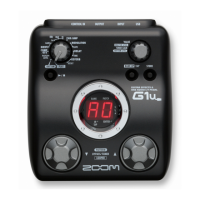
ZOOM G1N/G1XN
Selecting a Patch for Playing (Play Mode)
Selecting a Patch for Playing (Play Mode)
The volume control on the connected amplifier
should be turned down.
When using the unit on batteries
Plugashieldedcableintothe[INPUT]jack.
When using the unit with an AC adapter
Plugthecablefromtheadapterintothe[DCIN]
jack.
Turntheguitaramplifieronandadjustthevolumeto
a suitable position.
Set the Module selector to "PLAY".
The bank and patch number are shown on the display.
Immediately after turning the G1N/G1XN on, the unit
will be in play mode, regardless of the position of the
Module selector.
Turn power on
1
Set the G1N/G1XN to play mode
2
Directly switch a bank
4
Adjust the master level
5
Press the [BANK UP·TAP] key.
Repeatedlypressingthekeycyclesthroughbanksin
the order A ... d, 0 ... 3, A.
With the G1N, using the foot switch (FS01) to switch
banks is also possible (
g
p. 18).
Operate the [VALUE] knob.
The master level setting appears on the display.
The master level setting applies to all patches. The
settingrangeis0–98,1.0.Itwillberesetto80when
power is turned off and then on again.
When using headphones, this knob adjusts the listening
volume.
Select a patch
3
Use the foot switches.
Press the [
Q
]footswitchtocallupthenexthigher
patch.
Press the [
W
]footswitchtocallupthenextlower
patch.
Repeatedlypressingonefootswitchcyclesthrough
patchesintheorderA0–A9...d0–d9,00–09...
30–39,A0.
This section explains basic functions of the play mode.



 To Next Page