17
Setting independent patch parameters
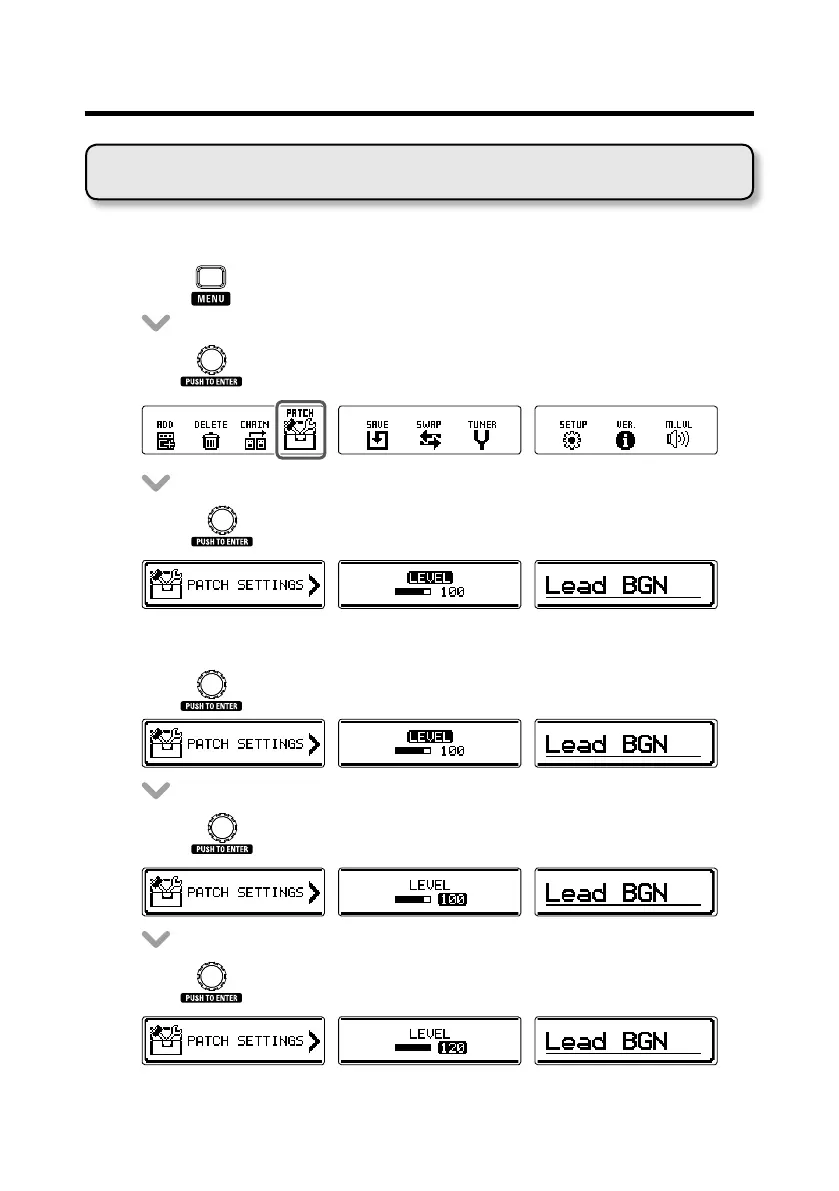
■ Entering patch setting mode
• Press to open the MENU screen.
• Turn to select PATCH.
• Press to open the PATCH screen.
■ Adjusting patch levels
• Turn toselectLEVEL.
• Press .
• Turn to set the patch level.
Using patches



 To Next Page