EasyManua.ls Logo

Zoom h1n - Names of Parts; Front Panel Controls

Zoom h1n
71 pages
Print Icon
To Next Page IconTo Next Page
To Previous Page IconTo Previous Page
Loading...
Names of parts
■ Front
⑥
LIMITER button
①
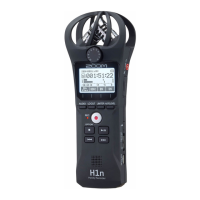
Built-in XY mic
②
Input volume dial
③
Display
⑤
LO CUT button
④
AUDIO button
⑧
REC LED
⑩
STOP/OPTION button
⑫
REW button
⑭
Speaker
⑦
AUTO LEVEL button
⑨
REC button
⑪
PLAY/PAUSE button
⑬
FF button
①
Built-in XY mic
This has two crossing directional mics. This mic can record a three-dimensional sound with natural depth and
width.
②
Input volume dial
Use to adjust the input level.
③
Display
This shows various types of information.
④
AUDIO button
Use this to operate the function shown 1st from the left at the bottom of the display.
⑤
LO CUT button
Use this to operate the function shown 2nd from the left at the bottom of the display.
5

Table of Contents