EasyManua.ls Logo

Zoom H6essential - Automatic Volume Adjustment During Playback; Changing the Playback Speed

Zoom H6essential
21 pages
Print Icon
To Next Page IconTo Next Page
To Previous Page IconTo Previous Page
Loading...
17
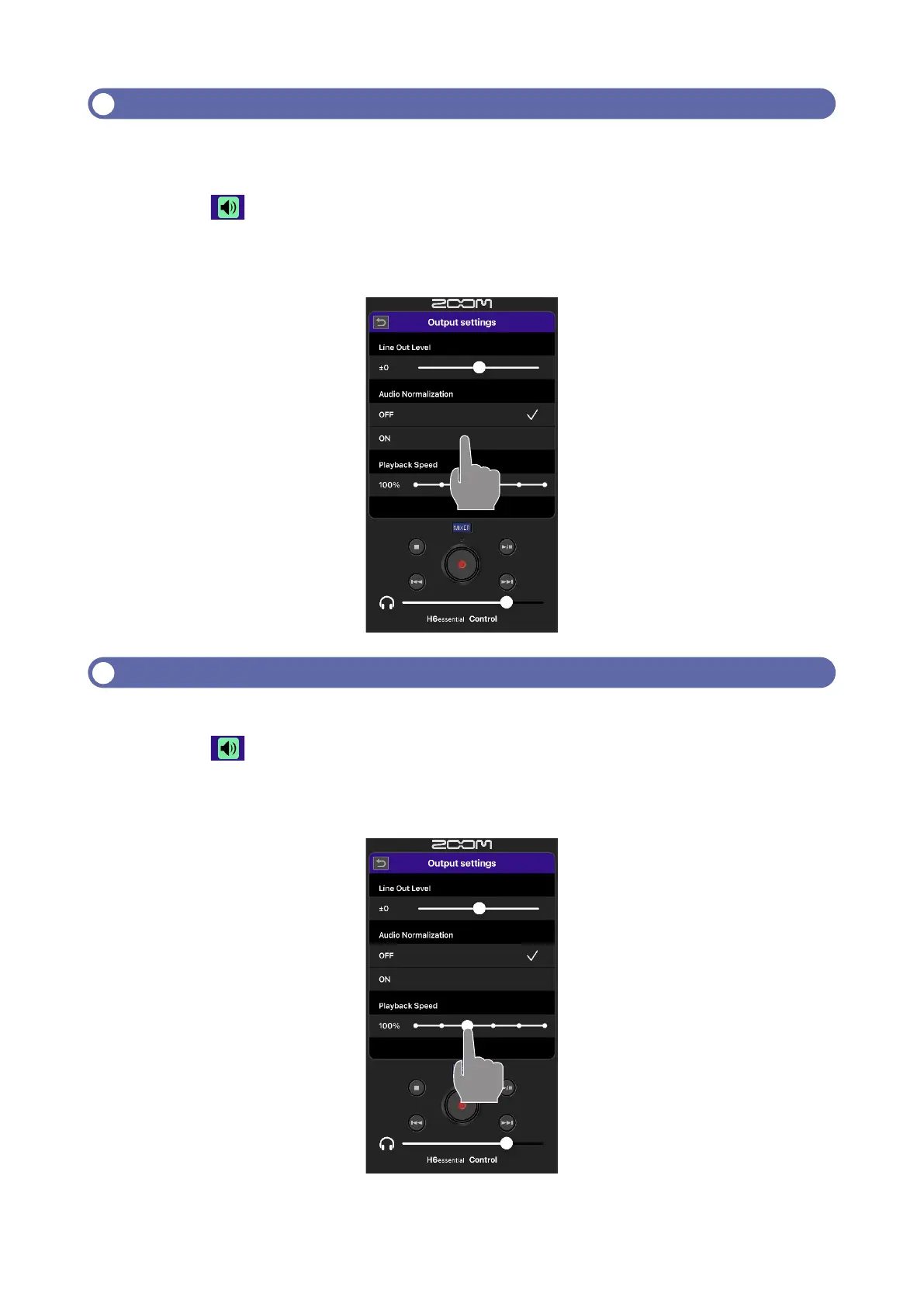
Automatic volume adjustment during playback
-
less of recording levels.
1.
Tap on the Playback Screen.
2.
Tap “ON” of the Audio Normalization.
Changing the playback speed

1.
Tap on the Playback Screen.
2.
Slide “Playback Speed” left and right to set the playback speed.


Other manuals for Zoom H6essential

Related product manuals