5
On macOS
2.
Extract the ZIP file.
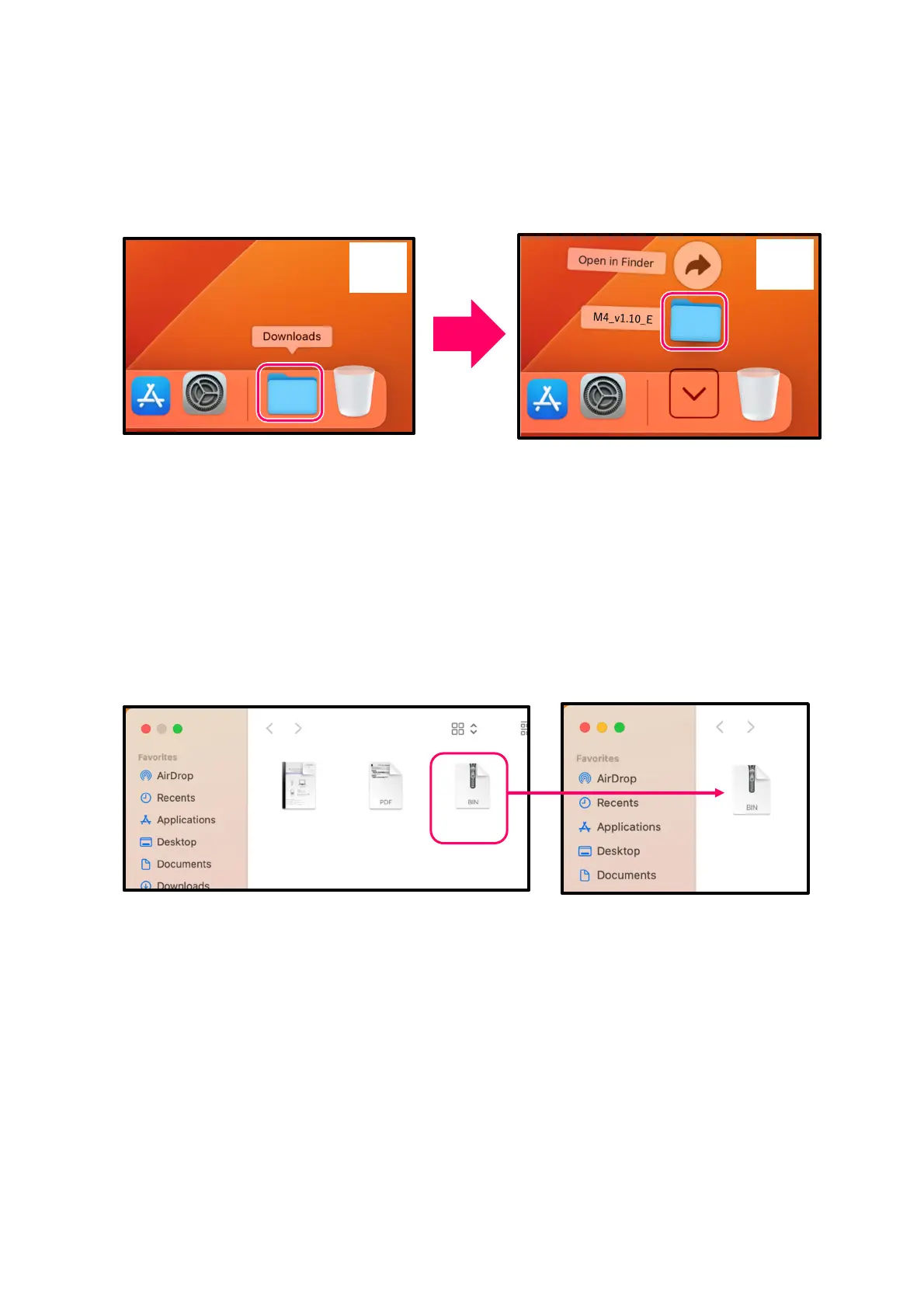
After downloading, open the ①“Downloads” folder which appears at the right end of the Dock by default.
Then, click ②. Downloaded files will be shown.
3.
Copy the firmware update file to a microSD card.
Copy the “M4SYSTEM.BIN” file to a microSD card.
①
②
M4SYSTEM.BIN
M4v1.10E
M4Firmware
Update...eE.pd
M4FirmwareVer
sion...oryE.pdf
microSD
Firmware update file
Copy the firmware update file
to a microSD card.
M4SD
M4SYSTEM.BIN



 To Next Page