Contents
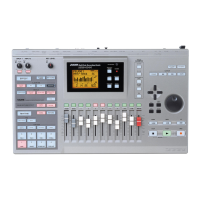
ZOOM MRS-1608
5
Reference [Phrase Looping] . . . . . . . . . . . 67
Which kind of phrases can be used? . . . . . . . . 67
Loading a phrase . . . . . . . . . . . . . . . . . . . . . . . . 68
Basic phrase loading steps . . . . . . . . . . . . . . . . . . .68
Importing a phrase from the current project . . . . . . 69
Importing a WAV/AIFF file . . . . . . . . . . . . . . . . . . . . 70
Importing a phrase from a different project . . . . . . . 71
Adjusting phrase parameters . . . . . . . . . . . . . . . . . .71
Copying a phrase . . . . . . . . . . . . . . . . . . . . . . . . 73
Deleting a phrase . . . . . . . . . . . . . . . . . . . . . . . . 73
Writing a phrase loop to a track . . . . . . . . . . . . 73
Using FAST input for the phrase loop . . . . . . . . . . . 74
Writing a phrase loop to a track . . . . . . . . . . . . . . . .75
Reference [Mixer] . . . . . . . . . . . . . . . . . . . 77
About the mixer . . . . . . . . . . . . . . . . . . . . . . . . . 77
Assigning input signals to recording tracks . . . 78
Adjusting the signal for each track
(track parameters) . . . . . . . . . . . . . . . . . . . . . 80
Linking two tracks (stereo link) . . . . . . . . . . . . . 82
Assigning an input/track signal to the SUB-OUT
jack . . . . . . . . . . . . . . . . . . . . . . . . . . . . . . . . . 82
Using the solo function . . . . . . . . . . . . . . . . . . . 84
Saving/recalling mixer settings
(scene function) . . . . . . . . . . . . . . . . . . . . . . . . 84
Saving a scene . . . . . . . . . . . . . . . . . . . . . . . . . . . . .84
Recalling a scene . . . . . . . . . . . . . . . . . . . . . . . . . . .85
Switching scenes automatically . . . . . . . . . . . . . . . .85
Deleting certain parameters from a scene . . . . . . . .86
Reference [Rhythm] . . . . . . . . . . . . . . . . . . 87
About the rhythm section . . . . . . . . . . . . . . . . . 87
Drum kits and bass programs . . . . . . . . . . . . . . . . . 87
Rhythm patterns . . . . . . . . . . . . . . . . . . . . . . . . . . . .88
Rhythm song . . . . . . . . . . . . . . . . . . . . . . . . . . . . . .88
Rhythm pattern mode and rhythm song mode . . . .88
Synchronizing the recorder section and rhythm
section . . . . . . . . . . . . . . . . . . . . . . . . . . . . . . . . . .88
Playing rhythm patterns . . . . . . . . . . . . . . . . . . 89
Selecting a rhythm pattern . . . . . . . . . . . . . . . . . . . .89
Changing the tempo . . . . . . . . . . . . . . . . . . . . . . . . .89
Changing the drum kit / bass program . . . . . . . . . . 90
Selecting the sound or scale to play with
the pads . . . . . . . . . . . . . . . . . . . . . . . . . . . . . . . . .91
Creating an original rhythm pattern . . . . . . . . . 93
Preparations . . . . . . . . . . . . . . . . . . . . . . . . . . . . . . .93
Drum sequence real-time input . . . . . . . . . . . . . . . . 94
Bass sequence real-time input . . . . . . . . . . . . . . . . .95
Drum sequence step input . . . . . . . . . . . . . . . . . . . .96
Bass sequence step input . . . . . . . . . . . . . . . . . . . . 98
Entering rhythm pattern chord information . . . . . . 100
Changing the drum/bass sequence volume
level . . . . . . . . . . . . . . . . . . . . . . . . . . . . . . . . . . .101
Assigning a name to a rhythm pattern . . . . . . . . . .101
Editing rhythm patterns . . . . . . . . . . . . . . . . . . 102
Copying a rhythm pattern . . . . . . . . . . . . . . . . . . . .102
Deleting a rhythm pattern . . . . . . . . . . . . . . . . . . . .103
Creating a rhythm song . . . . . . . . . . . . . . . . . . 103
Selecting a rhythm song . . . . . . . . . . . . . . . . . . . . .103
Entering pattern information using step input . . . .104
Using FAST for pattern information input . . . . . . . .106
Entering chord information . . . . . . . . . . . . . . . . . . . 108
Entering other information . . . . . . . . . . . . . . . . . . . 109
Playing a rhythm song . . . . . . . . . . . . . . . . . . .111
Editing a rhythm song . . . . . . . . . . . . . . . . . . .111
Copying a specified range of measures . . . . . . . . . 111
Transposing the entire rhythm song . . . . . . . . . . . 112
Copying a rhythm song . . . . . . . . . . . . . . . . . . . . . 112
Deleting the rhythm song . . . . . . . . . . . . . . . . . . . . 113
Assigning a name to a rhythm song . . . . . . . . . . . . 113
Creating your own drum kit . . . . . . . . . . . . . . .114
Changing the sound and settings for each pad . . . 114
Assigning a name to a drum kit . . . . . . . . . . . . . . . 116
Copying a drum kit . . . . . . . . . . . . . . . . . . . . . . . . . 116
Adjusting the volume of each pad with the
faders . . . . . . . . . . . . . . . . . . . . . . . . . . . . . . .117
Importing rhythm patterns and rhythm songs
from another project . . . . . . . . . . . . . . . . . . . .117
Editing various settings of the rhythm
section . . . . . . . . . . . . . . . . . . . . . . . . . . . . . . .118
Basic procedure . . . . . . . . . . . . . . . . . . . . . . . . . . . 118
Changing the length of the pre-count . . . . . . . . . . 119
Changing the metronome volume . . . . . . . . . . . . . 119
Adjusting the sensitivity of the pads . . . . . . . . . . . 120
Checking the remaining amount of memory . . . . . 120
Swapping the left/right pan position . . . . . . . . . . . 120
Reference [Pad Sampler] . . . . . . . . . . . . 121
How the pad sampler works . . . . . . . . . . . . . .121
Material that can be imported into the sample
pool . . . . . . . . . . . . . . . . . . . . . . . . . . . . . . . .122
Importing a sample . . . . . . . . . . . . . . . . . . . . . .122
Basic steps for sample importing . . . . . . . . . . . . . 122
Importing part of a track/V-take . . . . . . . . . . . . . . . 123
Importing a WAV/AIFF file . . . . . . . . . . . . . . . . . . . 124
Setting various sample parameters . . . . . . . . . . . . 125
Editing a sample . . . . . . . . . . . . . . . . . . . . . . . .126
Copying a sample . . . . . . . . . . . . . . . . . . . . . . . . . 126
Deleting a sample . . . . . . . . . . . . . . . . . . . . . . . . . . 127
Editing a specified range of a sample . . . . . . . . . . 127
Creating sampler programs . . . . . . . . . . . . . . .128
Creating a new sampler program . . . . . . . . . . . . . . 128
Assigning samples to pads . . . . . . . . . . . . . . . . . . 129
Editing a sampler program . . . . . . . . . . . . . . . .131
Assigning a name to a sampler program . . . . . . . . 131
Copying a sampler program . . . . . . . . . . . . . . . . . 131
Deleting a sampler program . . . . . . . . . . . . . . . . . . 132
Using the pads to play the pad sampler . . . . .133
Playing the pad sampler sounds in a rhythm
pattern . . . . . . . . . . . . . . . . . . . . . . . . . . . . . . .134
Recording pad sampler play on an audio
track . . . . . . . . . . . . . . . . . . . . . . . . . . . . . . . .135
Importing a sampler program from another
project . . . . . . . . . . . . . . . . . . . . . . . . . . . . . . .136
Reference [Effects] . . . . . . . . . . . . . . . . . 138
About the effects . . . . . . . . . . . . . . . . . . . . . . .138
Insert effect . . . . . . . . . . . . . . . . . . . . . . . . . . . . . . 138
Send/return effect . . . . . . . . . . . . . . . . . . . . . . . . . 138
Using the insert effect . . . . . . . . . . . . . . . . . . .139
About insert effect patches . . . . . . . . . . . . . . . . . . 139
1608E.book 5 ページ 2004年4月19日 月曜日 午前10時44分


 To Next Page