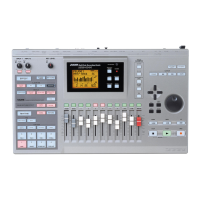
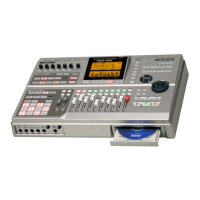
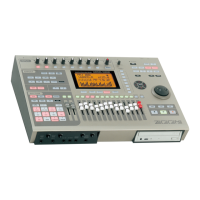
ZOOM MRS-1608
7
Introduction
Thank you for selecting the
ZOOM MRS-1608 MultiTrak Recording Studio
(simply called the “
MRS-1608
” in this
manual). The MRS-1608 is a fascinating product with the following features.
■
Brings together everything you need for complete music production
The MRS-1608 provides all the functionality you need for professional music production:
hard disk recorder, drum/bass machine, sampler, digital mixer, effects, CD-R/RW drive and
more. From creating the rhythm tracks to multitrack recording, mixdown, and burning an
audio CD, the MRS-1608 lets you do it all.
■
Recorder with 16 tracks x 10 virtual takes
The recorder section provides 16 audio tracks (mono x 8, stereo x 4), plus a stereo master
track for mixdown. Because each track has ten virtual tracks (V-takes), you can record
multiple takes for important parts such as vocals or guitar solos and select the best take later.
A full range of editing functions is provided, allowing you to copy or move audio data.
Special functions including time stretch/compression and pitch compensation are also
available.
■
Versatile input/output configuration allows simultaneous recording
in 8 channels
The MRS-1608 features 3 inputs on the front and rear panels feeding a total of 8 channels.
The unit can accommodate a wide range of sources, including high-impedance instruments
such as guitar and bass, dynamic or condenser mics, as well as synthesizers and other line-
level devices.
Normally, any two input signals will be selected for recording, but an 8-track recording mode
for simultaneous recording of up to 8 signals is also available. This is great for multi-miking
of drum sets or for capturing the performance of an entire band.
On the output side, there are analog and digital (optical) stereo outputs as well as a STEREO
SUB-OUT connector that can carry a separate mix. Possible applications include monitoring
during recording and use as a send output for an external effect.
■
Bounce function allows ping-pong recording of 16 tracks
simultaneously
The bounce function makes it easy to consolidate multiple tracks into one or two tracks with
just a few keystrokes. Play all 16 tracks, add the drum + bass sound, and bounce the result
onto two empty V-takes.
If you select the master track as bounce target, internal mixdown is possible without using up
any of the regular audio tracks.
1608E.book 7 ページ 2004年4月19日 月曜日 午前10時44分


 To Next Page