When the mixdown effect setting is completed, you are ready to record the final mix on the
master recorder.
1.
Use the ZERO [
U
] key to return to the beginning of the song.
2.
Set the master recorder to the recording condition.
3.
Press the PLAY [
R
] key.
4.
When the song has been completely recorded, stop the master recorder and the
MRS-4.
5.
To check the recording, rewind the master recorder and play the recording from
the beginning.
Whenever you make any changes to a song on the MRS-4, the song is automatically
saved on the SmartMedia card.
Recording on the master recorder
4-5
ZOOM MRS-4
27
2.
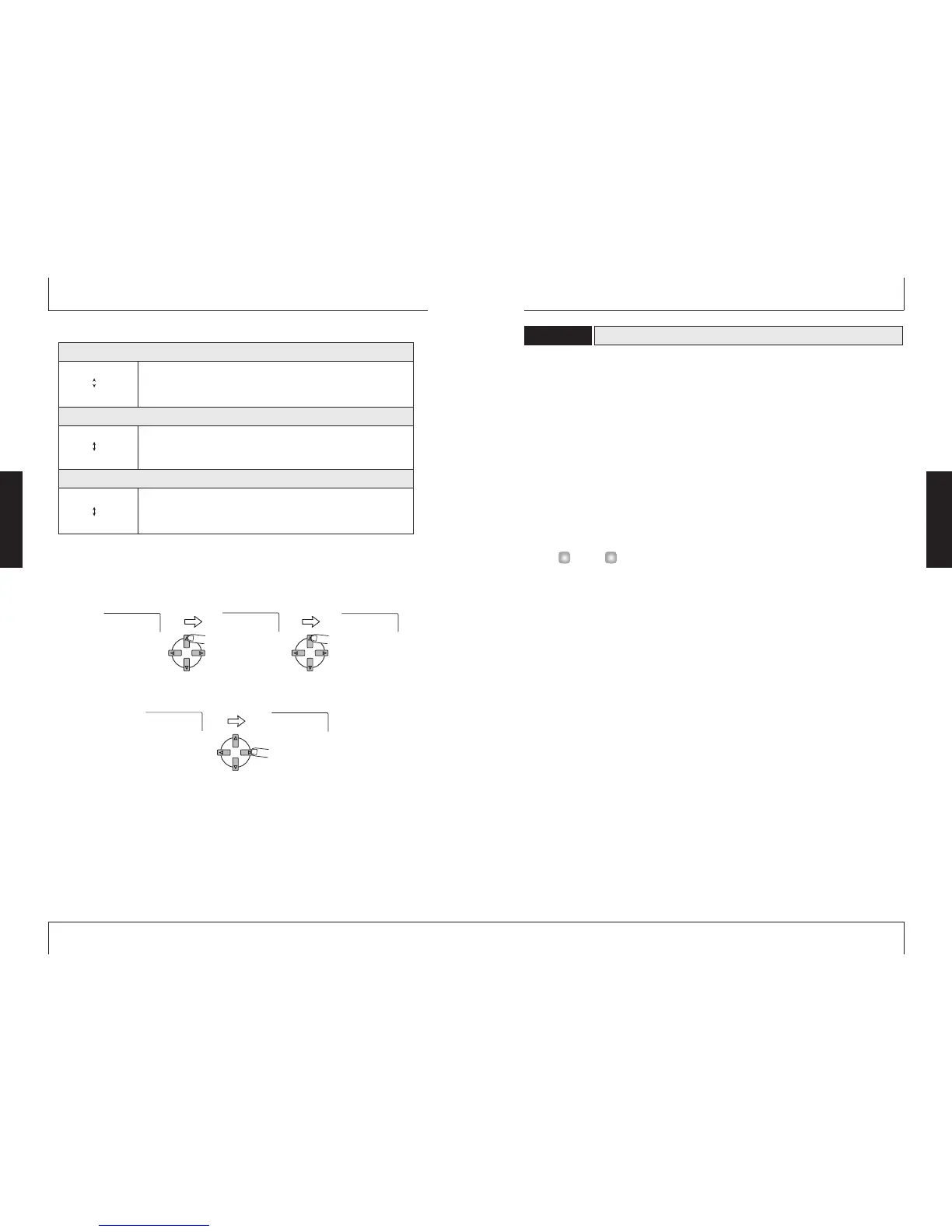
While playing the song, use the [PARAMETER/VALUE] keys to adjust the
algorithm.
The up/down [PARAMETER/VALUE] keys change the setting value. When the highest or
lowest setting is reached, the unit switches to the next algorithm.
Pressing the left/right [PARAMETER/VALUE] keys changes directly to the next algorithm.
3.
Press the [EXIT/NO] key.
The main screen returns.
BOOST 5
VOCAL 0
POWER 8
POWER 9
BOOST 0
POWER 0
POWER 9
This effect adds fat bass and more power to the sound. Higher values
produce more bass emphasis.
Algorithm 1
( POWER 0 – POWER 9 )
Algorithm 2
( BOOST 0 – BOOST 9 )
Algorithm 3
( VOCAL 0 – VOCAL 9 )
BOOST 0
BOOST 9
This effect produces a tight low end and crisp high end. Higher values
produce more bass and treble boost.
VOCAL 0
VOCAL 9
This effect emphasizes the midrange, lending warmth and suppleness to
vocals. Higher values produce more midrange emphasis.
Mixdown effect algorithms
Basic Operation
Basic Operation



 To Next Page