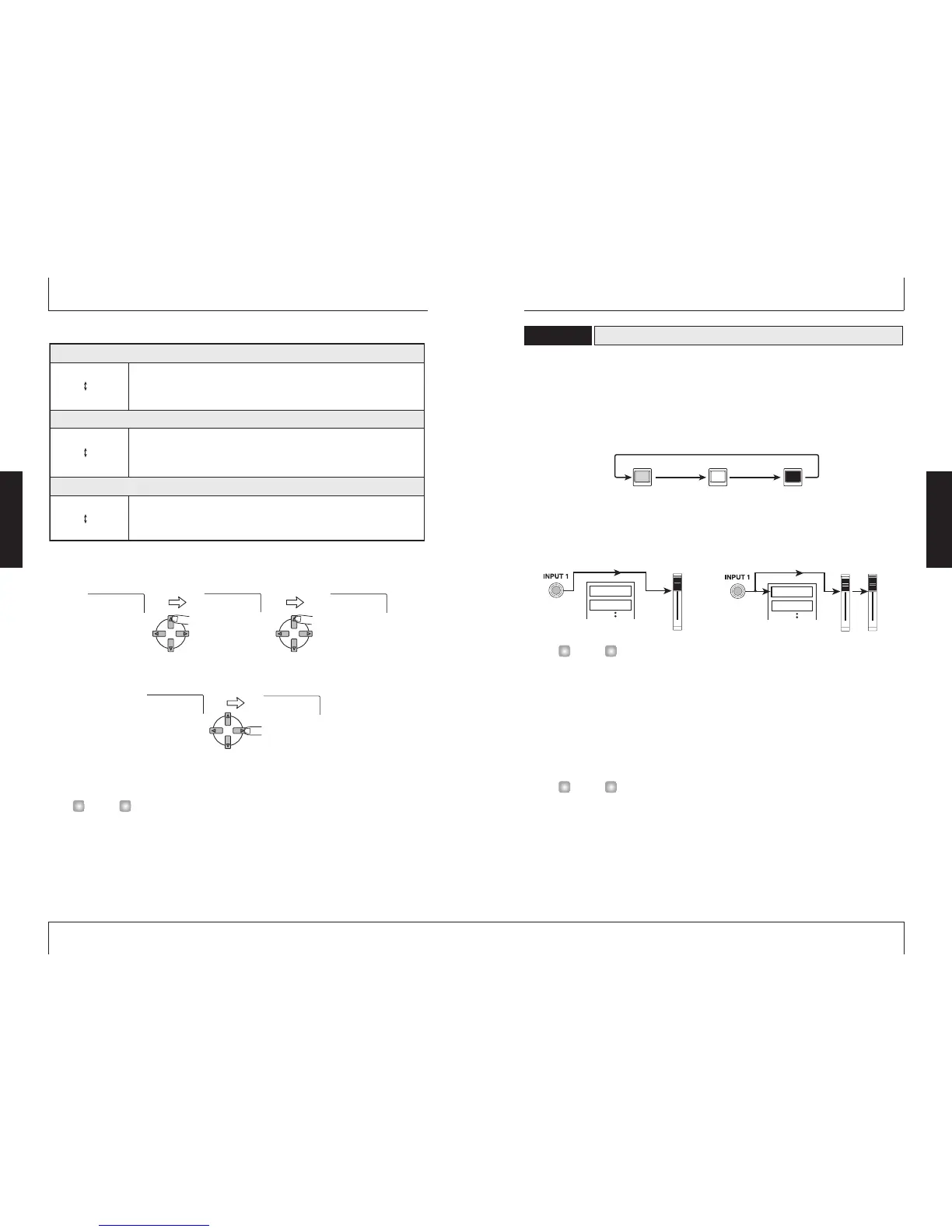
Record the guitar sound with insert effect on track 1, as follows.
1.
Press the status key 1 repeatedly, until the key is lit in red.
The status keys 1 – 4 serve for selecting the recording track, and for controlling the mute
on/off condition for the track. With each push of the status key, the setting changes as
follows.
When the status key 1 changes from green to red, track 1 is in the recording standby
condition. The input signal routing in this condition is as follows.
Up to two tracks (tracks 1/2 or tracks 3/4) can be selected for recording simultaneously.
2.
While playing your instrument, operate fader 1 of the MRS-4 or the volume
control of the monitor system to adjust the monitoring level.
The setting of fader 1 has no effect on the recording level.
3.
To use the metronome function, press the [METRONOME] key so that the key
lights up.
When the [METRONOME] key is lit, the internal metronome operates.
In the default condition of the song, the metronome is set to a 4/4 beat, tempo of 120
BPM, and a precount of 4 beats. These settings can be changed if desired. For details,
see page 50.
4.
To start recording, use the ZERO [
U
] key to return to the beginning of the song,
and then press the PLAY [
R
] key while holding down the REC [
O
] key.
The precount clicks are heard, and then recording on track 1 starts. The REC [
O
] key and
PLAY [
R
] key are lit. Play your guitar while using the metronome sounds as a guide.
Selecting and recording to a track
2-3
ZOOM MRS-4
15
The up/down [PARAMETER/VALUE] keys change the right-hand setting value. When the
highest or lowest setting is reached, the unit switches to the next algorithm.
Pressing the left/right [PARAMETER/VALUE] keys changes directly to the next algorithm.
3.
Press the [EXIT/NO] key.
The main screen returns.
Pressing the [MIXDOWN] and [SEND/RETURN] keys together turns the insert effect off.
Pressing both keys once more together turns the insert effect on again, with the most
recent setting in use.
Algorithm 4
( MICEF 10 – MICEF 19 )
Algorithm 5
( MICEF 20 – MICEF 29 )
Algorithm 6
( MICEF 30 – MICEF 39 )
MICEF10
MICEF19
This is a mic input limiter. Unlike the LIMIT 0 - LIMIT 9 effect, the effect
operates independently for input 1 and 2. Higher setting values produce
stronger limiter action.
MICEF20
MICEF29
This is a mic input limiter optimized for vocals. The effect operates
independently for input 1 and 2. Higher setting values produce stronger
limiter action.
MICEF30
MICEF39
This is a mic input limiter optimized for acoustic guitar. The effect operates
independently for input 1 and 2. Higher setting values produce stronger
limiter action.
Insert effect algorithms (continued)



 To Next Page