9
Using the MENU
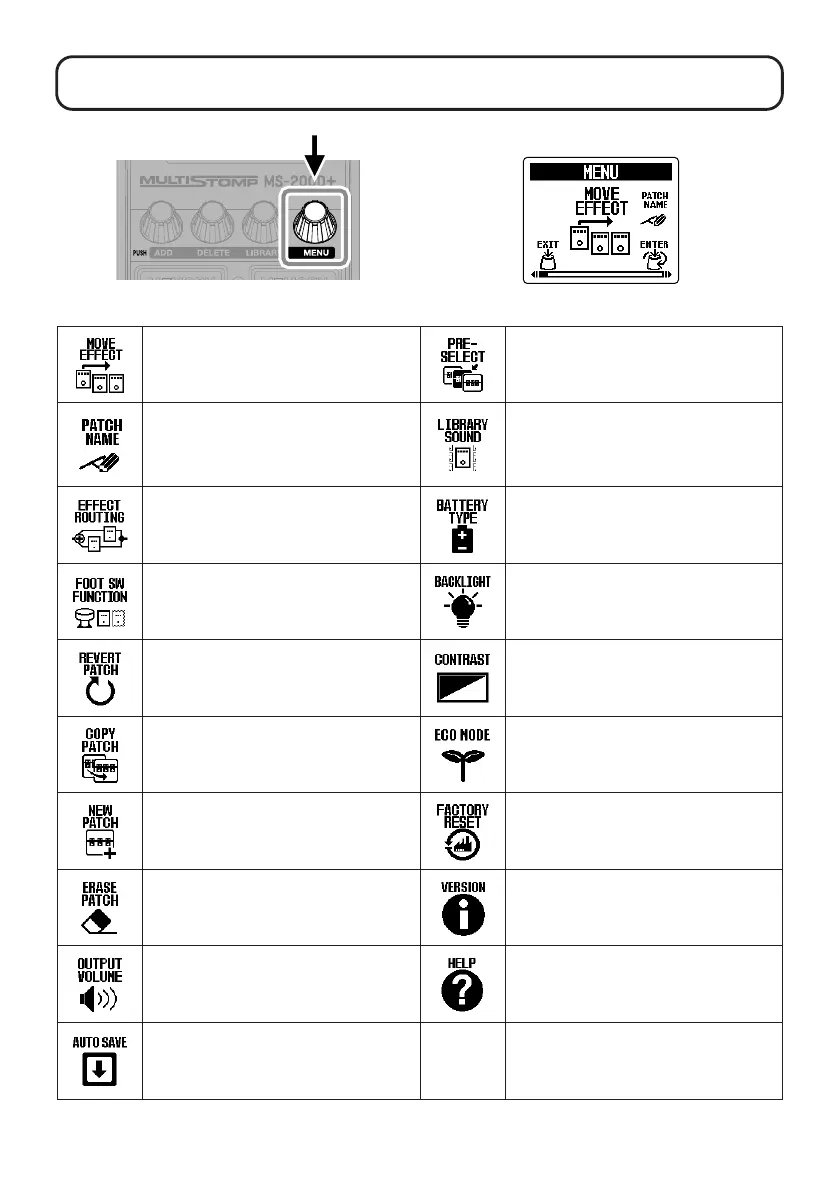
MENU Screen
Change the effect order. Turn the preselect function on/off.
Change the patch memory name.
The output sound on the LIBRARY Screen
(when changing effects) can be set to
either just the selected effect or the entire
patch memory.
Change effect routing. Set the type of batteries.
Set the footswitch function. Set the backlight brightness.
This restores a changed patch memory
to the state it was in immediately after
selection or to its factory default settings.
Adjust the display contrast.
Copy a patch memory and save it in a
different location.
Turn the ECO mode on/off.
Create a new patch memory. Restore the factory default settings.
Delete a patch memory. Check rmware versions.
Adjust the overall volume.
Use a smartphone to scan a 2D code and
access detailed documents related to the
product.
Turn the automatic saving function on/off.
See the Operation Manual for detailed information about all the functions.



 To Next Page