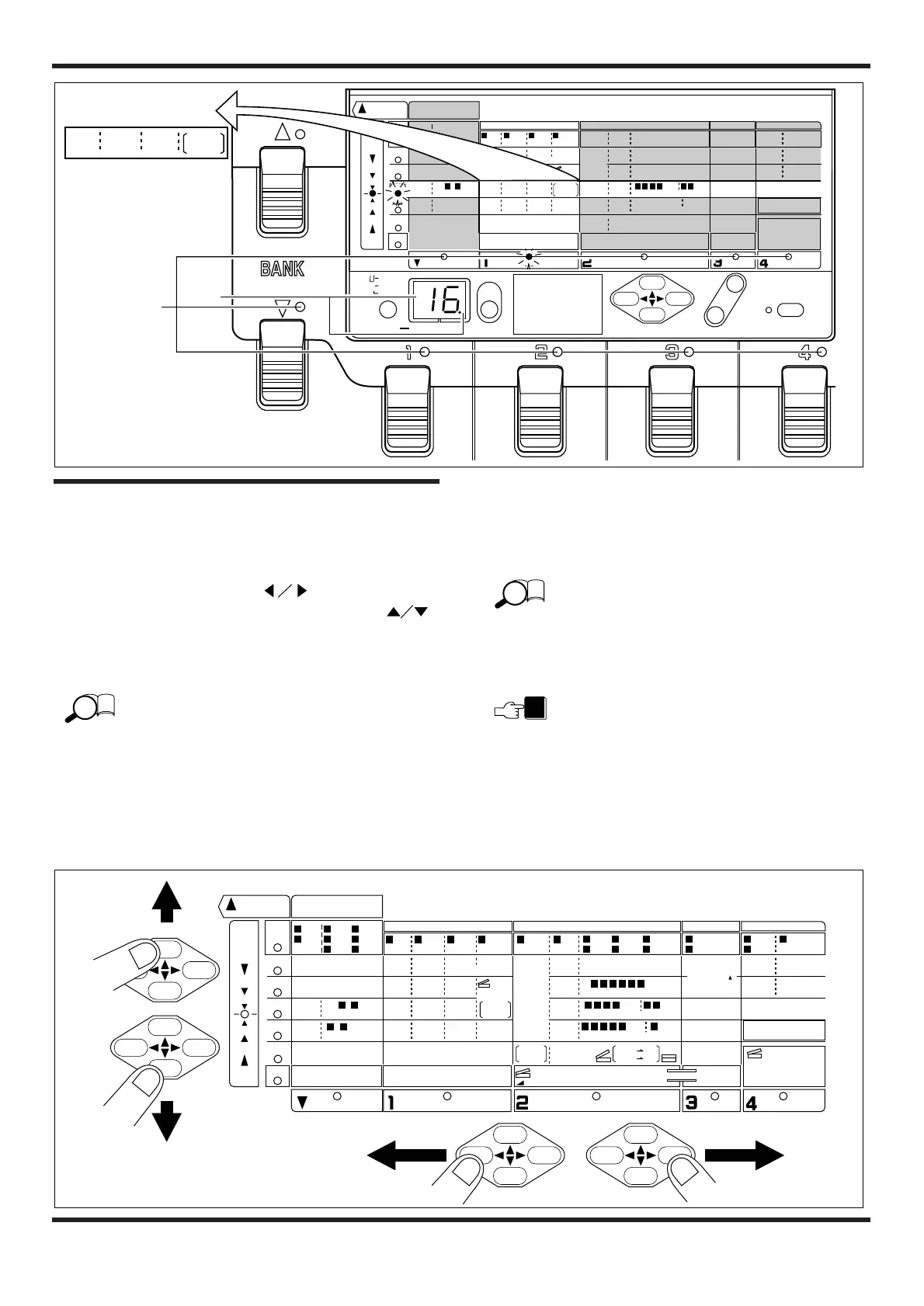
Editing a patch
• In the Edit mode, use the PARAMETER SELECT
keys to select the desired parameter.
The PARAMETER SELECT keys control the
module cursor LEDs. The PARAMETER SELECT
keys control the parameter cursor LEDs.
The display indication changes accordingly.
The topmost LED corresponds to the EFFECT
parameter which changes the effect type. When the
effect type is changed, the setting of parameters 1 - 5
also changes. Therefore it is best to first select the
effect type and then work on the other parameters
when creating an effect from scratch.
The bottom LED corresponds to a number of special
parameters called TOTAL parameters. These LEDs
refer to the control of an external effect or amplifier,
and to settings which affect operation of the entire
4040.
• Use the VALUE +/- keys to change the parameter
value.
The value of the currently selected parameter is changed.
For details on the parameters of each effect module,
please refer to “Effect Types and Parameters” on
pages 13 – 22.
• Change other parameters in the same way.
Parameter setting changes made in this way are only
temporary. If you return to the Play mode or select a
different patch without storing the new settings first,
the settings will be lost. For details on how to store a
patch, please refer to page 12.


 To Next Page