This effect adds a phase-shifted component to the direct
sound, with a variable amount of phase shift. The effect
creates a warm, distinct sound that is different from flanger
or chorus.
Explanation
(1)DEPTH: Determines the depth of phase shift.
(2)RATE: Determines the speed of phase shift.
(3)PEAK: Adds a distinct character to the sound by
emphasizing the effect.
(4)MODE: Determines the basic sonic character.
0: Warm
1: Clear
(5)EXP. MODE (Expression Mode): Determines the
direction of the change caused by the EXP pedal.
0: When the pedal is fully pushed down, the sonic
change is as set with the PEAK parameter. When the
pedal is up, the sonic change is minimum.
1: When the pedal is fully pushed down, the sonic
change is maximum. When the pedal is up, the sonic
change is as set with the PEAK parameter.
This effect periodically varies the intensity of the sound. The
effect can be adjusted from conventional tremolo to a strong
clipping effect.
Explanation
(1)DEPTH: Determines the depth of the tremolo effect.
(2)RATE: Determines the speed of the tremolo variation.
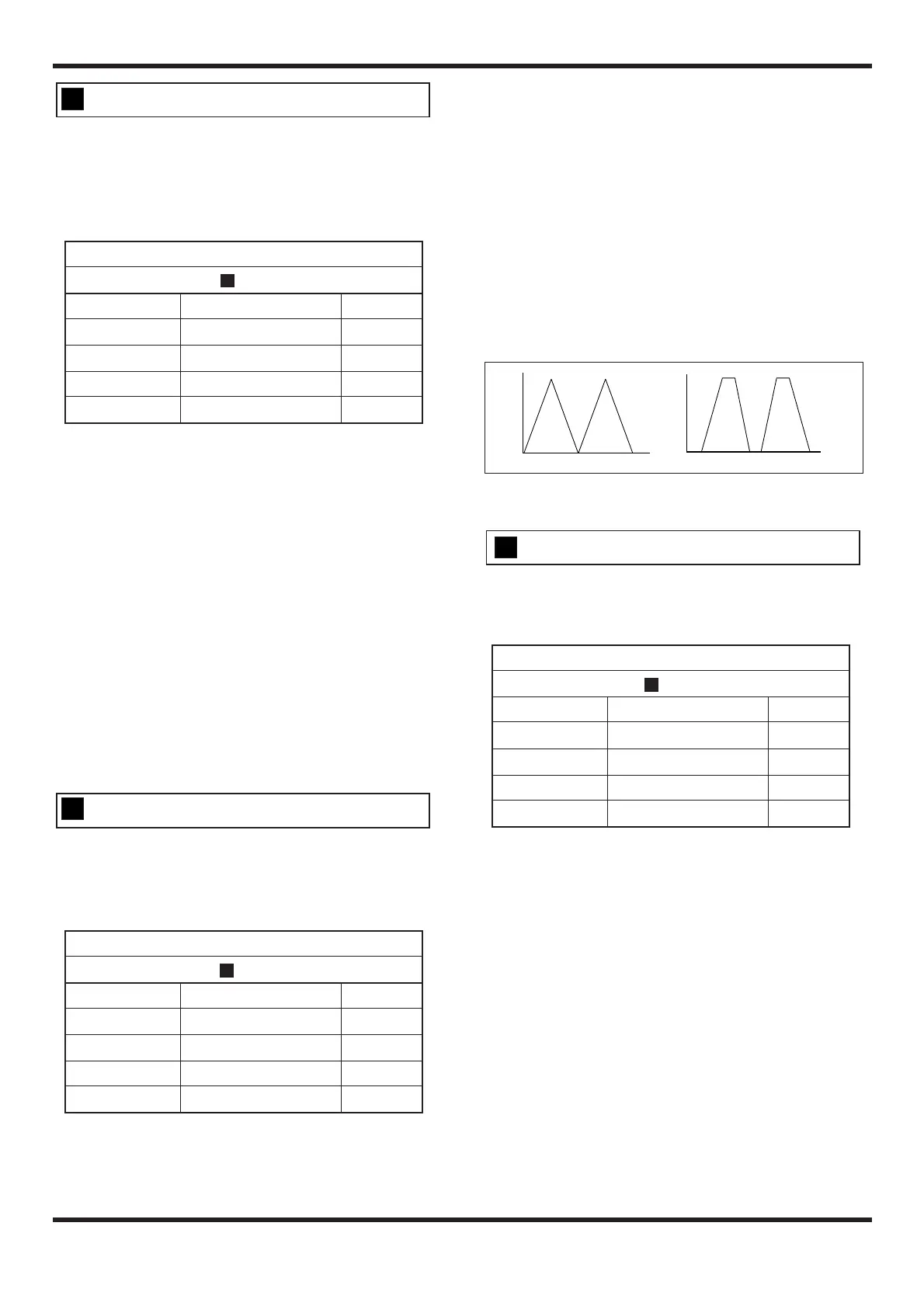
(3)PEAK: Increasing this parameter deforms the tremolo
waveform to a trapezoid shape, which causes a strong
clipping effect and adds a distinct character to the sound.
(4)MODE: Determines the modulation waveform.
0: Chopping 1: Sawtooth
(5)EXP. MODE (Expression Mode): Determines the
direction of the change caused by the EXP pedal.
0: When the pedal is fully pushed down, the tremolo rate
is as set with the RATE parameter. When the pedal is up,
the tremolo rate is minimum.
1: When the pedal is fully pushed down, the tremolo rate
is maximum. When the pedal is up, the tremolo rate is as
set with the RATE parameter.
Effect of the PEAK Parameter
This effect causes random pitch changes and creates an auto
arpeggio sound.
Explanation
(1)DEPTH: Determines the depth of the pitch change.
(2)RATE: Determines the speed of the effect (arpeggio rate)
(3)PEAK: Determines the amount of feedback. Increasing
this parameter stresses the feeling of modulation and
adds a distinct character to the sound.
(4)MODE: Determines whether there is a portamento effect
when changing the pitch.
0: Effect disabled 1: Effect enabled
(5)EXP. MODE (Expression Mode): Determines the
direction of the change caused by the EXP pedal.
0: When the pedal is fully pushed down, the feedback is
as set with the PEAK parameter. When the pedal is up,
the feedback is minimum.
1: When the pedal is fully pushed down, the feedback is
maximum. When the pedal is up, the feedback is as set
with the PEAK parameter.


 To Next Page