8
Turning the Power ON
Turning the Power ON
1.
Minimize the volume of the devices connected to the .
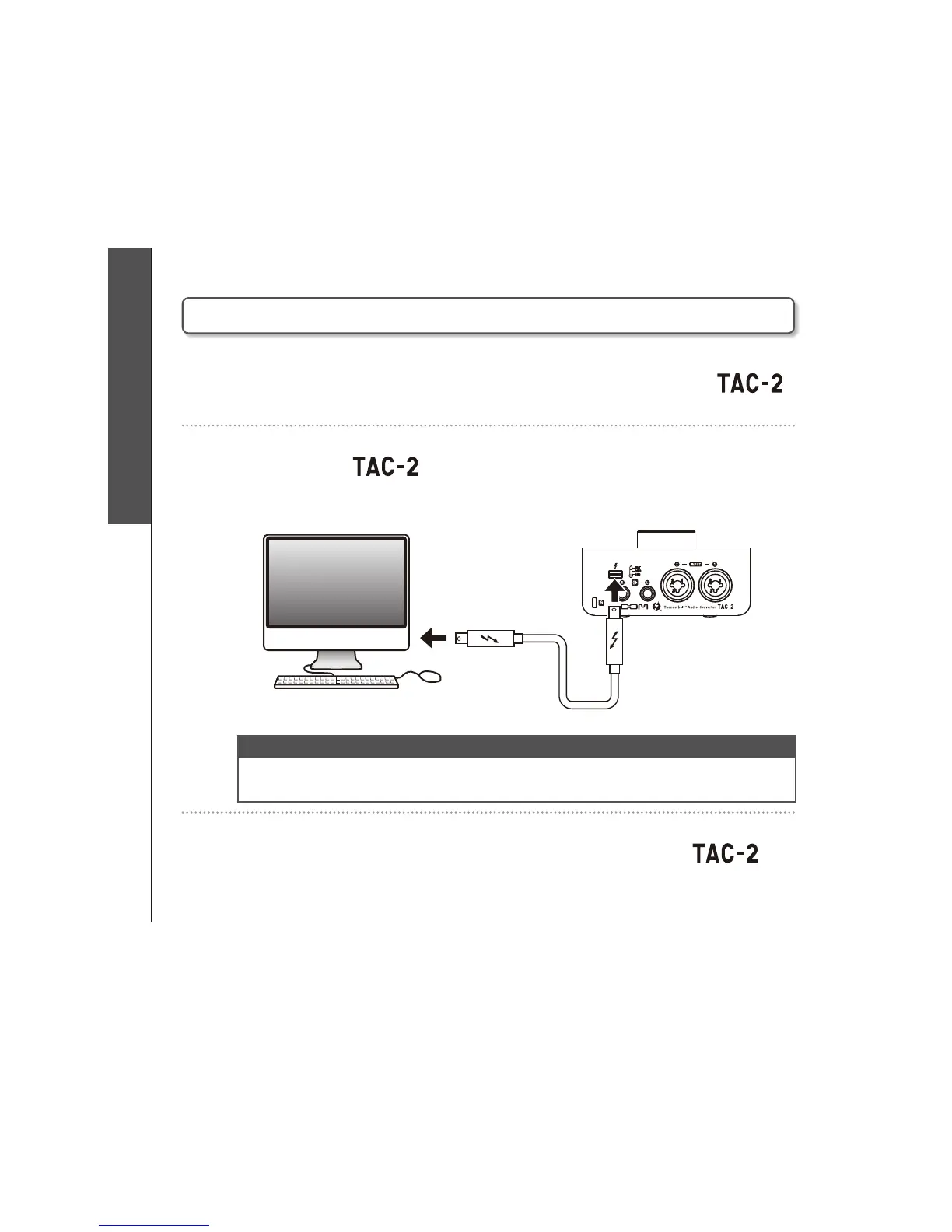
2. Connect the and the computer using a Thunderbolt™
cable. (This turns the power on.)
NOTE
t 5IFVOJUXJMMOPUUVSOPOJGUIFESJWFSJTOPUJOTUBMMFE
'PMMPXUIFJOTUSVDUJPOPOQBHFUPJOTUBMMUIF;00.5"$%SJWFS
3. Raise the volume of the devices connected to the
.



 To Next Page