19
About the Digital Audio Clock
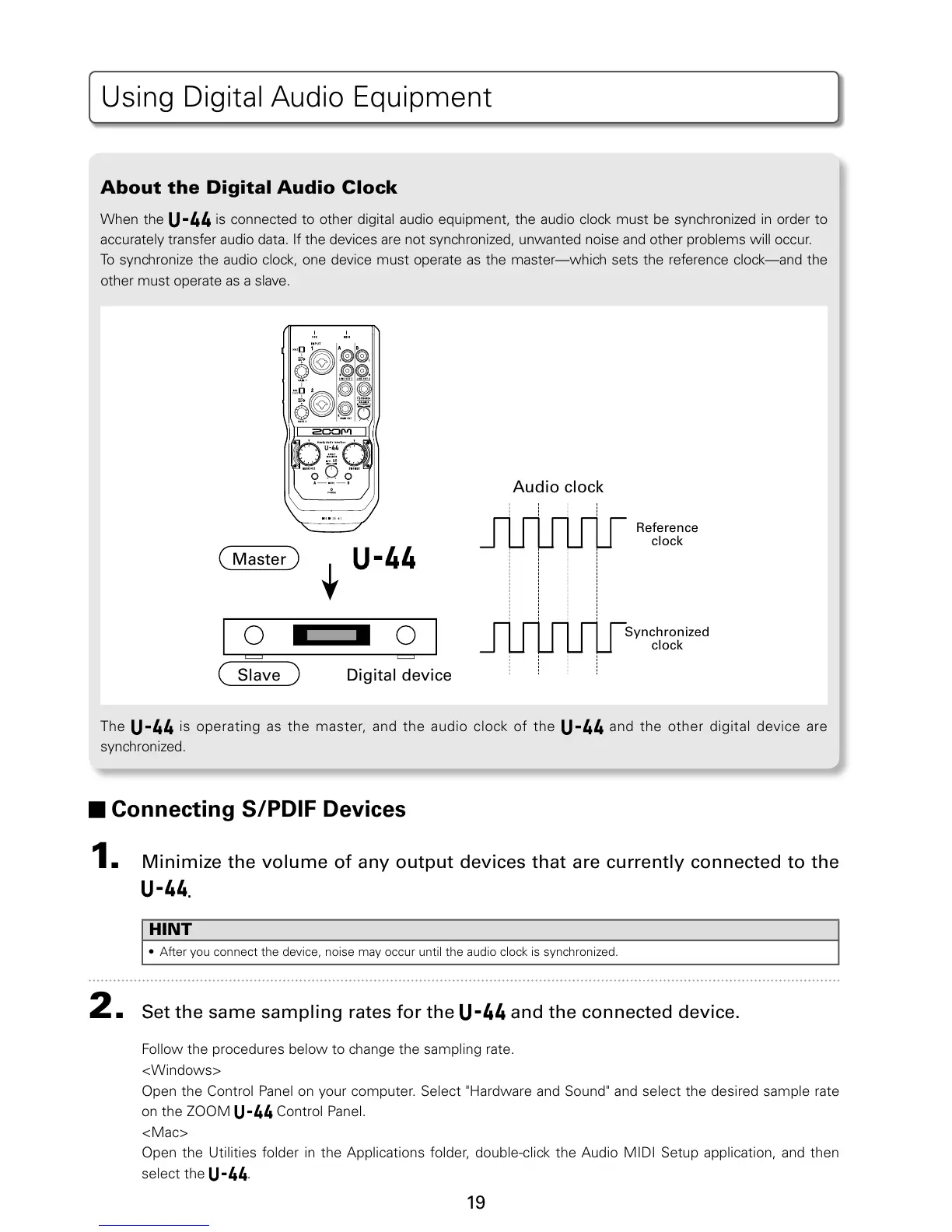
When the is connected to other digital audio equipment, the audio clock must be synchronized in order to
accurately transfer audio data. If the devices are not synchronized, unwanted noise and other problems will occur.
5PTZODISPOJ[FUIFBVEJPDMPDLPOFEFWJDFNVTUPQFSBUFBTUIFNBTUFSXIJDITFUTUIFSFGFSFODFDMPDLBOEUIF
other must operate as a slave.
Audio clock
Reference
clock
Synchronized
clock
Master
Slave
Digital device
5IF is operating as the master, and the audio clock of the and the other digital device are
synchronized.
Connecting S/PDIF Devices
1. Minimize the volume of any output devices that are currently connected to the
.
HINT
t "GUFSZPVDPOOFDUUIFEFWJDFOPJTFNBZPDDVSVOUJMUIFBVEJPDMPDLJTTZODISPOJ[FE
2. Set the same sampling rates for the and the connected device.
Follow the procedures below to change the sampling rate.
<Windows>
0QFOUIF$POUSPM1BOFMPOZPVSDPNQVUFS4FMFDU)BSEXBSFBOE4PVOEBOETFMFDUUIFEFTJSFETBNQMFSBUF
on the ZOOM
Control Panel.
<Mac>
Open the Utilities folder in the Applications folder, double-click the Audio MIDI Setup application, and then
select the
.
6TJOH%JHJUBM"VEJP&RVJQNFOU


 To Next Page