8
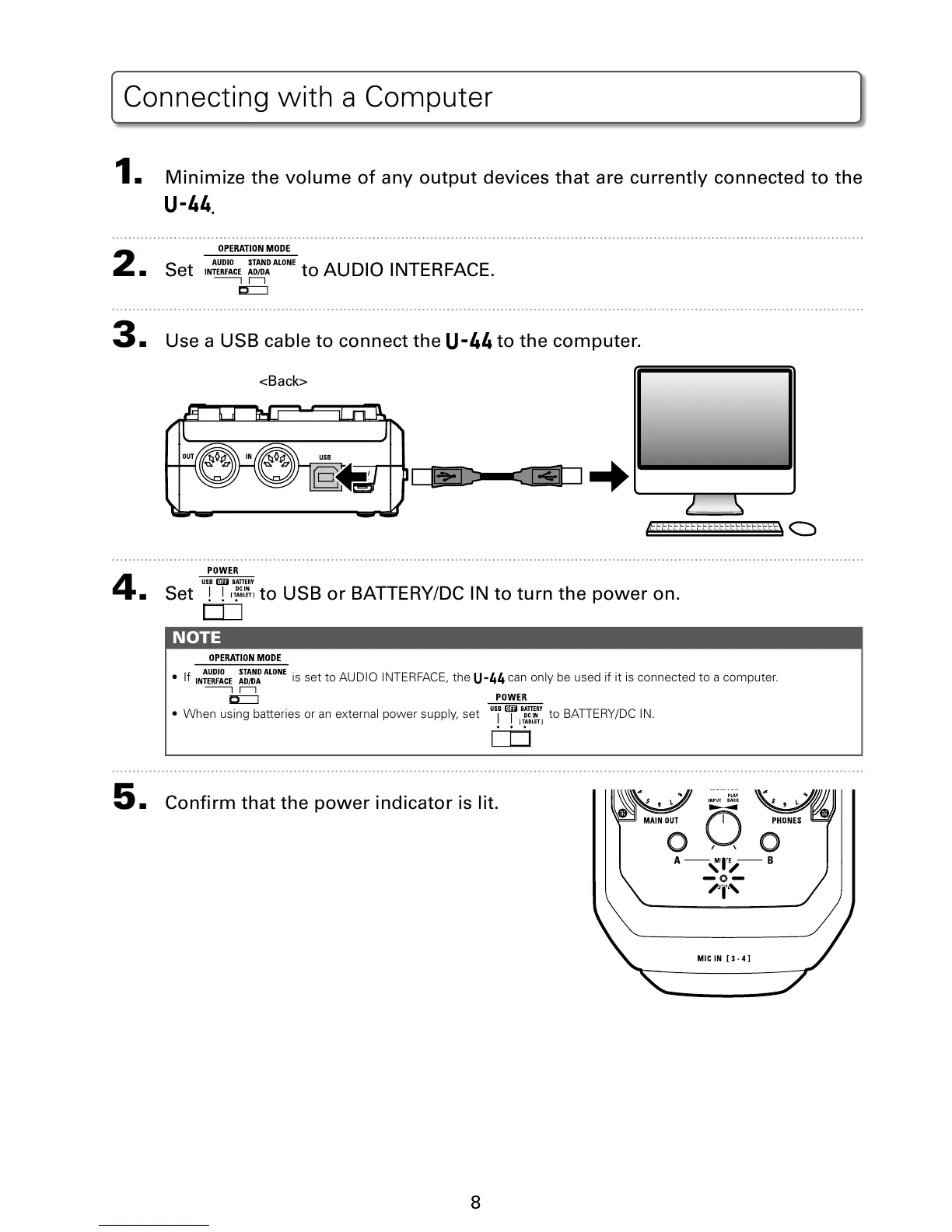
1. Minimize the volume of any output devices that are currently connected to the
.
2. Set to AUDIO INTERFACE.
3. Use a USB cable to connect the to the computer.
<Back>
4. Set to USB or BATTERY/DC IN to turn the power on.
NOTE
t *G JTTFUUP"6%*0*/5&3'"$&UIF can only be used if it is connected to a computer.
t 8IFOVTJOHCBUUFSJFTPSBOFYUFSOBMQPXFSTVQQMZTFU UP#"55&3:%$*/
5. Conrm that the power indicator is lit.
Connecting with a Computer


 To Next Page