The retaining clip can now be separated
from the pads. Insert the new pads into
the retaining clip and reinstall the pads.
Figure 28: Pads and Retaining Clips
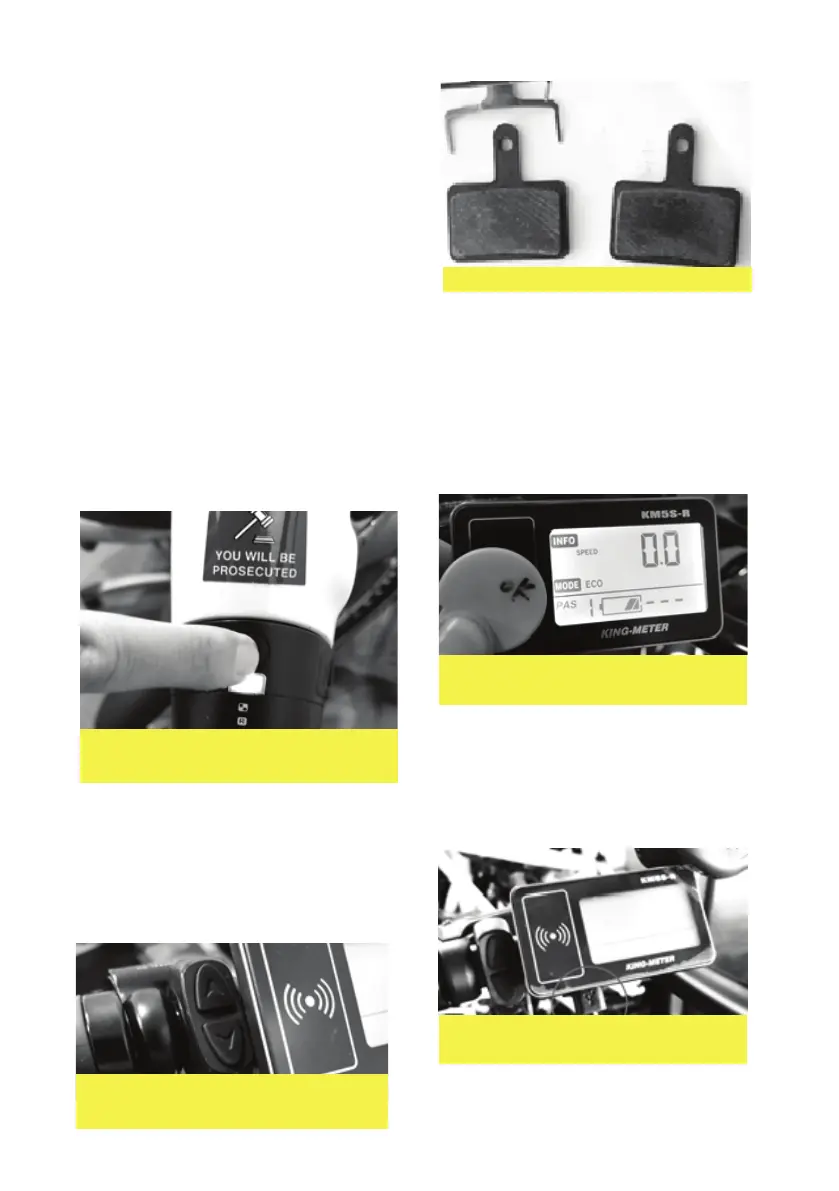
Figure 25: Scan the yellow RFID
to enable system
Figure 26: The USB device plug
is under the screen
STARTING / SHUTDOWN OF THE SYSTEM
A. SWITCH ON PRESS AND HOLD
‘ON’ BUTTON
The brake pads should be replaced every
3 months or 1800kms (whichever comes
rst). To start, undo the two x m5 bolts on
the brake calliper mount.
B. ACTIVATE THE DISPLAY
Press the display ‘on button’ which is on
the handlebar control pad. This will
activate the display which will start
counting down from 30 seconds.
C. SCAN KEY
Scan the RFID Key to Activate the System.
Please only use the yellow tag to turn on
the system. The blue tags are used for
reprogramming only.
D. CHARGING AN EXTERNAL USB
DEVICE
Add a USB cable to charge a phone
or device
Figure 28: Press and hold button
to turn on
Figure 29: Press the display on
button until screen lights up
14


 To Next Page