EasyManua.ls Logo

ZOSI C519M - User Manual

ZOSI C519M
15 pages
Print Icon
To Next Page IconTo Next Page
Loading...
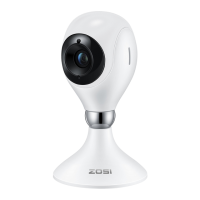
C519M Wireless IP Camera
Quick Start Guide
For more information, please visit https:// www.zositech.com
Support Email: service@zositech.com
Question and Answer IconNeed help?

Do you have a question about the ZOSI C519M and is the answer not in the manual?

Summary

C519 M Wireless IP Camera Quick Start Guide

Features

Live Feed

Watch live video, adjust quality, pan/tilt, capture screenshots, and communicate.

Two-Way Video Calling

Facilitates video calls via button or gesture, connecting seamlessly with the mobile app.

Infrared Night Vision

Automatically switches to night vision mode using built-in infrared lights for clear visibility.

Video Playback

Supports Micro SD card and cloud storage for playback of recorded footage.

Smart Detection

Human Tracking

Automatically tracks and follows human objects using AI person detection algorithm.

Installing a Micro SD Card

Device Startup

App Installation

Add Device

Installation Notes

Ceiling;Wall-mounted Notes

Instructions for drilling holes, inserting anchors, fixing the bracket, and mounting the camera.

Precautions for Installation and Use

Diagram of Wall-mounted;Ceiling Installation

AVSS

FAQ

Notification of Compliance

Simplified EU Declaration of Conformity

ZOSI declares device compliance with essential requirements and provisions of Directive 2014/53/EU.

Correct Disposal of this Product

FCC Compliance and Operation Conditions

RF Exposure Warning Statements

Radio Frequency Exposure Statement for IC

ZOSI C519M Specifications

General IconGeneral
BrandZOSI
ModelC519M
CategorySecurity Camera
LanguageEnglish

Related product manuals