EasyManua.ls Logo

ZOSI C611 - User Manual

ZOSI C611
45 pages
Print Icon
To Next Page IconTo Next Page
Loading...
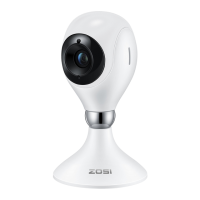
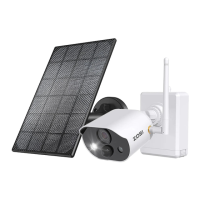
ZOSI C611 Smart IP Camera
Quick Start Guide
*Please read this guide carefully before use and keep it properly.
V6.K.01.Z
Question and Answer IconNeed help?

Do you have a question about the ZOSI C611 and is the answer not in the manual?

Summary

Package Contents Overview

Camera Structure and Components

User Account and App Login

Download and Register Zosi Smart App

Download the Zosi Smart App and register a new account via email or phone.

Adding Your ZOSI Camera

Connect Device via App and WiFi

Open app, select device, scan QR code or enter UID, set up WiFi, and confirm connection.

Troubleshoot Device Addition

Check power, WiFi password, network, firewall, or reset device if addition fails.

Installation and Usage Notes

Camera Installation Methods

Camera can be installed flat, ceiling, or wall mounted for optimal viewing angle.

Ceiling and Wall Mounting Guide

Drill holes, insert plugs, fix bracket, install camera, and adjust angle.

Installation and Use Precautions

Use correct adapter, avoid outdoors, humidity, high temp, direct sun, and follow safety regulations.

AVSS Client Software

Install and Use AVSS Client

Download and install Zosi AVSS Client, log in with Zosi Smart App account for easier management.

Frequently Asked Questions

Cannot Add Device by Local Search

Ensure device and phone are on the same LAN or use UID for manual addition.

Device Disconnected Troubleshooting

Check network connection, router status, and IP address settings.

Video Recording Files Not Found

Verify SD card integrity, file date validity, and system time accuracy.

Summary

Package Contents Overview

Camera Structure and Components

User Account and App Login

Download and Register Zosi Smart App

Download the Zosi Smart App and register a new account via email or phone.

Adding Your ZOSI Camera

Connect Device via App and WiFi

Open app, select device, scan QR code or enter UID, set up WiFi, and confirm connection.

Troubleshoot Device Addition

Check power, WiFi password, network, firewall, or reset device if addition fails.

Installation and Usage Notes

Camera Installation Methods

Camera can be installed flat, ceiling, or wall mounted for optimal viewing angle.

Ceiling and Wall Mounting Guide

Drill holes, insert plugs, fix bracket, install camera, and adjust angle.

Installation and Use Precautions

Use correct adapter, avoid outdoors, humidity, high temp, direct sun, and follow safety regulations.

AVSS Client Software

Install and Use AVSS Client

Download and install Zosi AVSS Client, log in with Zosi Smart App account for easier management.

Frequently Asked Questions

Cannot Add Device by Local Search

Ensure device and phone are on the same LAN or use UID for manual addition.

Device Disconnected Troubleshooting

Check network connection, router status, and IP address settings.

Video Recording Files Not Found

Verify SD card integrity, file date validity, and system time accuracy.

ZOSI C611 Specifications

General IconGeneral
BrandZOSI
ModelC611
CategorySecurity Camera
LanguageEnglish

Related product manuals