EasyManua.ls Logo

Zte Blade 10 - User Manual

Zte Blade 10
153 pages
Print Icon
To Next Page IconTo Next Page
Loading...
User Guide

Table of Contents

Questions and Answers

  • N
    Nicole SmithAug 15, 2025
    Why does my Zte Blade 10 battery have a shortened standby time?
    • R
      ryan69Aug 15, 2025
      If your Zte Cell Phone has shortened standby time, it could be due to your service provider's system configuration. If you are in an area with a weak signal, temporarily power off the phone. A depleted battery or high temperatures can also shorten battery life; contact the dealer to change a new battery. Also, if your phone cannot connect to the network, it will continue searching for a base station, which consumes battery power. Change your location to improve network access, or temporarily turn off the phone.
  • M
    Monique WattsAug 18, 2025
    Why does my Zte Blade 10 crash, reboot, freeze, or not power on?
    • M
      Mark ReillyAug 18, 2025
      If your Zte Cell Phone crashes, reboots, freezes, or cannot be powered on, it may be due to incompatible third-party software. Uninstall any software that may be causing the problem. You can also try upgrading the phone software or resetting the phone to factory status.
  • N
    Nathan BassAug 21, 2025
    What to do if my Zte Cell Phone shows a nano-SIM card error?
    • D
      Donald TurnerAug 22, 2025
      A nano-SIM card error on your Zte Cell Phone can occur if the card has malfunctioned or is damaged; take it to your service provider for testing. Ensure the nano-SIM card is inserted properly. Also, debris on the nano-SIM card contacts can cause issues; clean the contacts with a soft, dry cloth.
  • J
    Jerry SmithAug 25, 2025
    How to fix Zte Cell Phone when I cannot answer incoming calls?
    • J
      jasonbutlerAug 25, 2025
      If you cannot answer incoming calls on your Zte Cell Phone, you may have activated the Call blocking feature. Disable this feature by opening the Phone app and touching **> Settings > Blocked** **numbers. Touch** **> UNBLOCK next to the** **number you want to**
  • R
    Ryan CunninghamAug 28, 2025
    Why does my Zte Cell Phone have poor reception?
    • K
      Kimberly MolinaAug 28, 2025
      Poor reception on your Zte Cell Phone can occur if the network signal is weak, such as in a basement or near a tall building. To resolve this, move to a location where the network signal can be properly received. It can also happen when the network is busy; avoid using the phone during peak times or try again later. If you are too far from a base station, request a service area map from your service provider.
  • N
    Nicole FloresAug 31, 2025
    What to do if my Zte Blade 10 is unable to connect to the network?
    • R
      Robin YoungSep 1, 2025
      If your Zte Cell Phone is unable to connect to the network, the nano-SIM card might be invalid, so contact your service provider. You might also be outside the network's service area; check with your service provider. Poor signal strength can also be a factor; move to an open space or closer to a window.
  • A
    ayalajohnSep 4, 2025
    Why do I hear echo or noise on my Zte Cell Phone during calls?
    • V
      Victoria DyerSep 4, 2025
      Echo or noise during calls on your Zte Cell Phone can be due to poor network link quality from your service provider or poor local telephone line quality. Ending the call and dialing again may switch you to a better-quality network link or phone line.
  • M
    melissaclaytonSep 7, 2025
    Why am I unable to select certain features on my Zte Blade 10?
    • S
      stephanie89Sep 7, 2025
      If you are unable to select certain features on your Zte Cell Phone, your service provider may not support these features, or you may not have applied for the services that provide them. Contact your service provider. It could also be caused by a damaged battery or charger, in which case you should contact the dealer. The phone’s temperature being below 32°F (0°C) or higher than 95°F (35°C) can also cause this issue; adjust the battery charging environment to avoid extreme temperatures.
  • K
    Kaitlyn BradshawSep 12, 2025
    What to do if my Zte Blade 10 PIN Code is blocked?
    • S
      Sally HooperSep 12, 2025
      If your Zte Cell Phone's PIN code is blocked, it is because you have entered an incorrect PIN code three consecutive times. Contact your service provider. If they provide the nano-SIM card’s PUK code, use the PUK code to unlock the nano-SIM card.

Summary

Getting Started

Getting to Know Your Phone

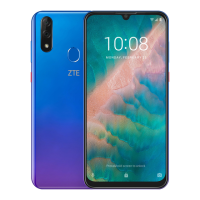
Identify key components of your ZTE Blade 10 phone.

Installing a nano-SIM Card and an Optional microSDXC Card

Learn how to insert SIM and microSDXC cards into the phone tray.

Charging the Battery

Connect the charger to power up the phone and indicators for battery charging.

Powering Your Phone On;Off

Learn the procedures for turning the phone on, off, and restarting.

Locking;Unlocking the Screen and Keys

Secure and access your phone's screen and input methods.

Personalizing

Using Your Fingerprint

Register and utilize fingerprint for unlocking and app access.

Using Face Recognition

Set up and use facial recognition for phone unlocking.

Connecting to Networks and Devices

Connecting to Mobile Networks

Manage mobile data usage and network operator settings.

Connecting to Wi-Fi

Turn on Wi-Fi, connect to networks, and manage preferences.

Connecting to Bluetooth Devices

Pair and manage Bluetooth devices for wireless connectivity.

Using the microSDXC Card as Portable or Device Storage

Set up and manage microSDXC cards for storage expansion.

Phone Calls

Placing and Ending Voice Calls

Make and terminate voice calls using the dialer and contacts.

Answering or Rejecting Voice Calls

Manage incoming calls by answering or declining them.

Adjusting Your Call Settings

Configure sound, vibration, caller ID, and call blocking.

Contacts

Managing Emergency Contacts and Information

Set up ICE contacts and medical info for emergencies.

Email

Setting Up the First Email Account

Configure your email client with server and login credentials.

Checking Your Emails

Automatically or manually check for new incoming emails.

Responding to an Email

Reply to, forward, or manage received email messages.

Writing and Sending an Email

Compose and send new emails with attachments and recipients.

Messages

Sending a Message

Compose and send text or multimedia messages to recipients.

Camera

Capturing a Photo

Take photos using the auto camera mode and focus options.

Video Player

Settings

Network & Internet

Configure Wi-Fi, mobile data, hotspot, tethering, and VPN.

Security & Location

Set screen locks, fingerprint, face recognition, and location services.

Troubleshooting

For Your Safety

Important safety guidelines for phone usage and handling.

Battery Safety

Precautions for safe battery usage, charging, and temperature limits.

Zte Blade 10 Specifications

General IconGeneral
Display6.3 inches
Resolution1080 x 2280 pixels
ProcessorMediaTek Helio P60
Storage64 GB
Rear Camera16 MP + 5 MP
Front Camera16 MP
Battery3200 mAh
Operating SystemAndroid 9.0 (Pie)
SIMDual SIM (Nano-SIM, dual stand-by)
Weight165 g

Videos

How to Check IMEI & SN on ZTE Blade 10 Prime

Related product manuals