Step 4
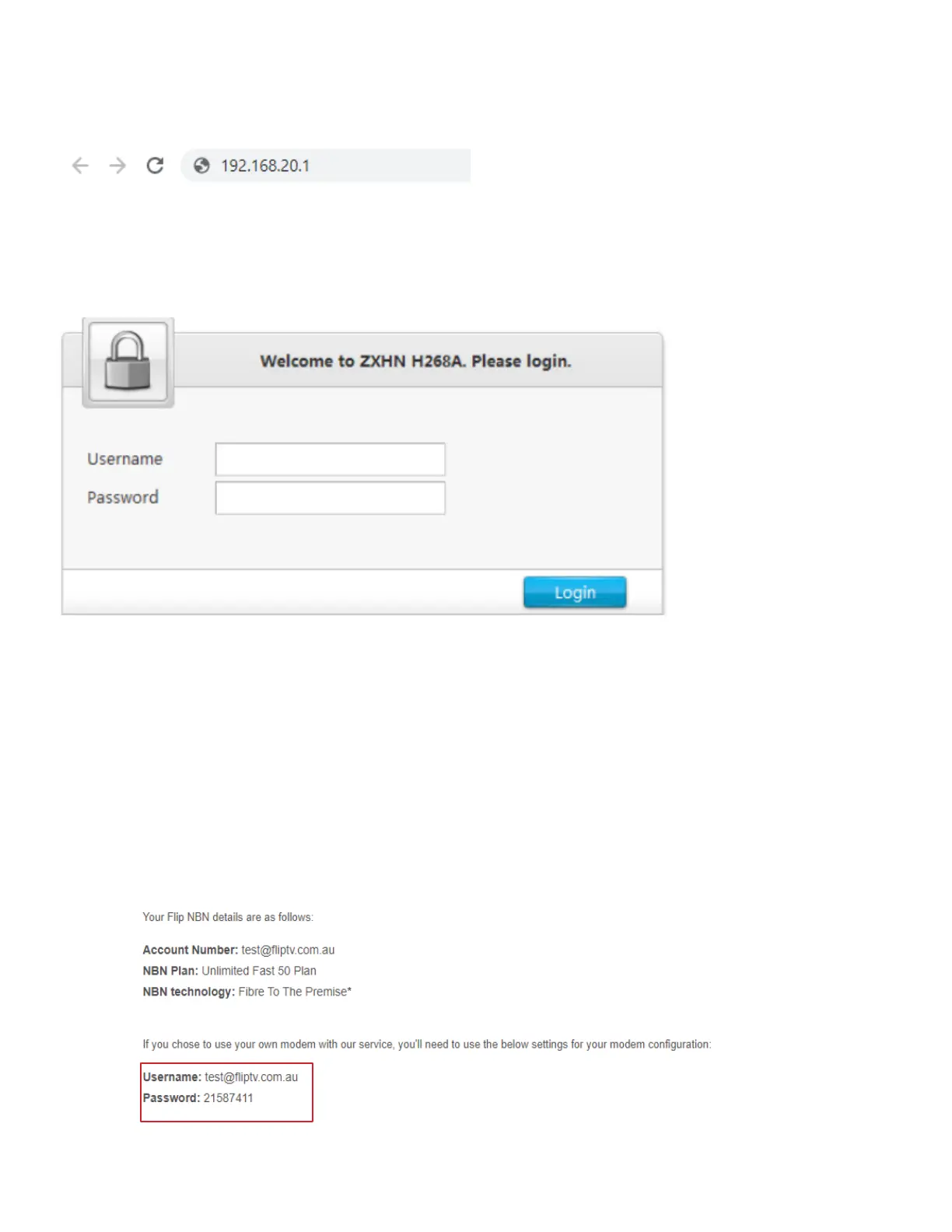
Open a web browser - E.g. Google Chrome, Firefox, Internet Explorer. Enter the following into the URL
address bar: 192.168.20.1
You may see a login page and if the details are not already prefilled, use the below default settings:
Default username: admin
Default password: admin
Step 5
Once logged in, you will see quite a few options listed at the top with different headings. Click the
“Internet” heading. On the left click “WAN” then “ETHERNET”
Step 6
Select PPPoE and put in Flip Username and password sent to you in the Welcome Email. Ignore other
options
and click Save.
Welcome email example:
.



 To Next Page