EasyManua.ls Logo

Zte ZXV10 B760E - User Manual

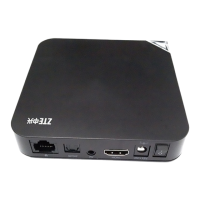
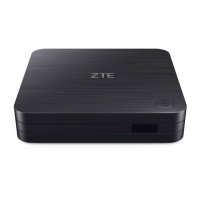
Zte ZXV10 B760E
21 pages
Print Icon
To Next Page IconTo Next Page
Loading...
ZXV10 B760H
ZXV10 B760E
RichMedia Box
User Guide
ZTE CORPORATION
NO.55,Hi-techRoadSouth,ShenZhen,P.R.China
Postcode:518057
Tel: (86) 755 26771900 800-9830-9830
Fax: (86) 755 26772236
URL: http://support.zte.com.cn
E-mail: doc@zte.com.cn

Questions and Answers

  • M
    Margaret SullivanAug 5, 2025
    What to do if my Zte ZXV10 B760E Set-top boxes remote control fails?
    • K
      Kathleen SmallAug 6, 2025
      If your Zte Set-top box remote control isn't working, the issue might stem from the batteries. First, make sure the batteries are correctly installed. If they are, try replacing them with fresh ones. If the remote still fails, try moving closer to the STB and ensure there are no obstructions between the remote and the STB.
  • A
    Aaron KennedyAug 10, 2025
    Why is there no image on my Zte Set-top boxes TV screen?
    • S
      Samuel GilbertAug 10, 2025
      If there's no image on your TV screen when using your Zte Set-top box, it could be due to a few reasons. First, check if the STB is in standby mode and turn it on using the remote. If that doesn't work, ensure the video cable is properly connected. Lastly, verify that the video input source on your TV is correctly selected; cycle through the input options until the EPG page appears.
  • S
    Sabrina KimAug 14, 2025
    Why is there no sound from my Zte Set-top boxes speaker?
    • C
      Craig McintoshAug 14, 2025
      If you're not getting any sound from the speaker when using your Zte Set-top box, there are a few things to check. First, make sure the STB isn't in standby mode; if it is, turn it on with the remote. Next, verify that the audio cable is securely connected. Also, check that neither the STB nor the TV is muted, and that the volume is turned up sufficiently on both devices.
  • A
    Andrew GriffinAug 18, 2025
    How to fix a Zte Set-top boxes when the indicator is not lit?
    • T
      taylorwaltersAug 19, 2025
      If the indicator light isn't turning on after you switch on your Zte Set-top box, it could be due to a few reasons. Ensure that the power adapter is properly connected. If it is, the power adapter might be damaged, so consult your service provider for a replacement. Also, check that the power outlet itself has power.
  • A
    annawrightAug 22, 2025
    What to do if user cannot connect to Zte Set-top boxes EPG homepage?
    • W
      William RyanAug 23, 2025
      If you can't connect to the EPG homepage on your Zte Set-top box, it might be due to a problem with your network connection. Ensure that the network cable is properly connected, and if it is, try replacing it with a new one. It's also possible that the service network is experiencing an outage, in which case you should wait for the service to be restored or contact your service provider. Finally, double-check that your network configuration is correct and reconfigure the network parameters if necessary.
  • K
    Keith GarciaAug 27, 2025
    How to fix Zte ZXV10 B760E Set-top boxes when the sound does not match the image?
    • D
      Deborah CraigAug 27, 2025
      Some video programs are broadcasted in multiple audio tracks. To resolve the issue where the sound doesn't match the image on your Zte Set-top box, press the key on the remote control to switch the audio mode.
  • M
    Melissa MasseyAug 31, 2025
    What to do for other problems with Zte Set-top boxes?
    • J
      James CurtisAug 31, 2025
      To address other problems with your Zte Set-top box, restart the STB or call the customer service hotline.

Summary

Chapter 1 Safety Instructions

Chapter 3 Panels

3.1 Front Panel

Describes the front panel indicators and their meanings.

3.2 Rear Panel

Describes the rear panel connectors and ports.

3.3 Side Panel

Describes the side panel interfaces like USB and TF card slots.

Chapter 4 Connecting Up

4.1 Connecting Network

Explains how to connect the STB to a network.

4.2 Video and Audio Connections

Details the various video and audio connection options.

Chapter 5 Remote Control

Chapter 6 Operation Guide

Chapter 7 Troubleshooting

Zte ZXV10 B760E Specifications

General IconGeneral
RAM1 GB
ConnectivityEthernet, Wi-Fi
Video OutputHDMI
TypeIPTV Set-top box
USBUSB 2.0
Operating SystemAndroid
Audio OutputHDMI
ProcessorDual-core

Related product manuals