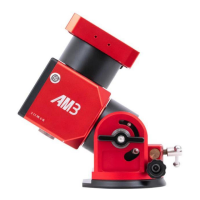
3.4.3 How to switch the equatorial mode to alt-azimuth mode?
The indicator light is red for equatorial mount mode, and the indicator light is green for
alt-azimuth mode.
Tip: Before switching the mode, turn off the power button (shutdown) of the equatorial mount.
Hand Controller Switch
Step 1: Adjust the pitch angle to 90 degrees (refer to 3.4.1 for the steps);
Step 2: Switch from the equatorial mode to alt-azimuth mode
Connect the hand controller, long press the Cancel Button, then turn on the AM3 mount power
until the indicator light turns green, then release the Cancel Button to enter the alt-azimuth mode.
Switch from the alt-azimuth mode to equatorial mode
Connect the hand controller, long press the Cancel Button, then turn on the AM3 mount power
until the indicator light turns red, then release the Cancel Button to enter the equatorial mode.
Note 1:
After the mount boots, the light indicator will remain the color of the current mode for 5 seconds,
then flashes red and green in turn. At this time, you’ll need to connect the mount to ASIAIR or any
other astrophotography software in your laptop to sync the local time and coordinate information.
Otherwise, the mount will not be able to GOTO nor track targets. After synchronization, the
indicator light will return to the corresponding position.
Note 2:
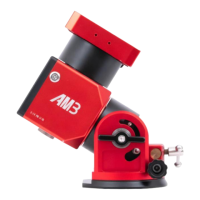
When installing the telescope in theodolite mode, please point the telescope lens to the left, as
shown in the figure below (when the theodolite is in zero position, the dovetail groove elastic


 To Next Page
 Loading...