-11-
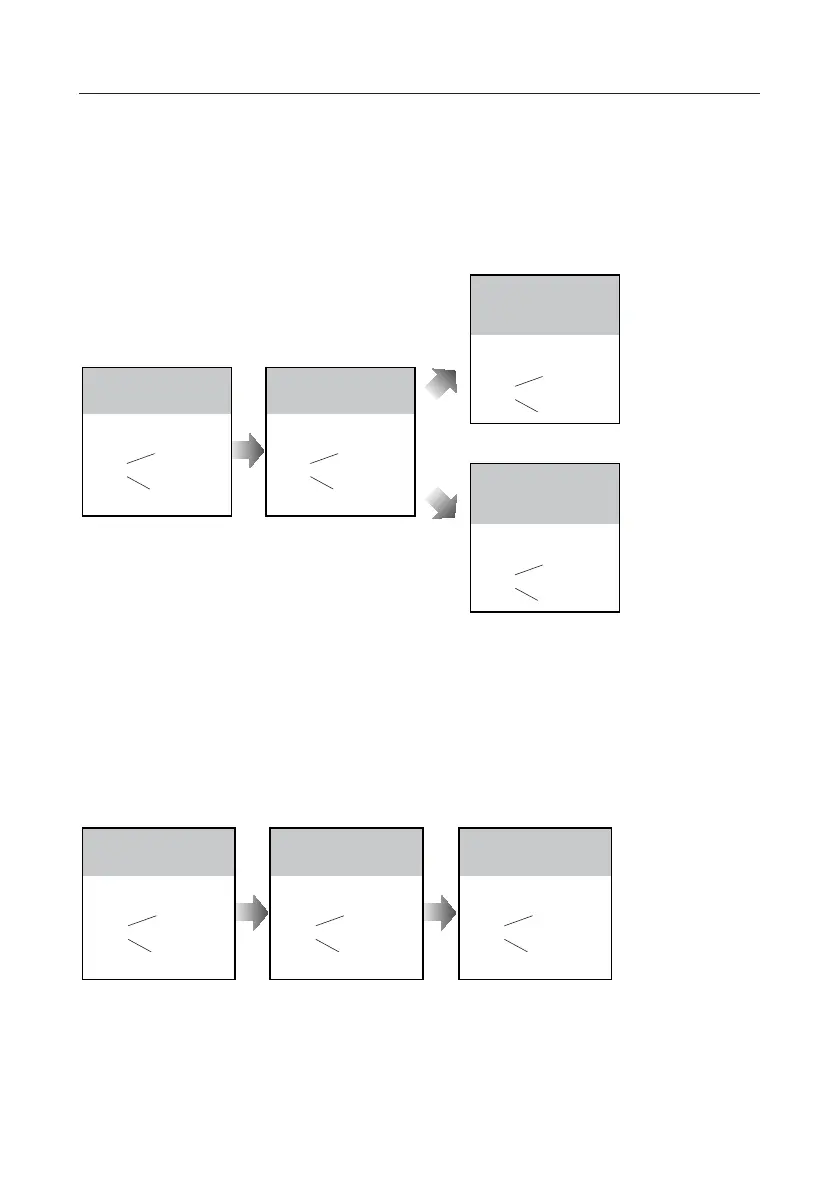
Switching Access Control:
UNLOCK Indicator:OFF
TALK Indicator:ON
Buzzer
Beep+, Beep
Show the master card of
MASTER CARD ADD to ID
card window in standby.
UNLOCK Indicator:ON
TALK Indicator:ON
Buzzer
Beep+, Beep
Show the master card of
MASTER CARD DELETE
to ID card window.
UNLOCK Indicator:OFF
TALK Indicator:OFF
Buzzer
Beep+
Show the master card of
MASTER CARD DELETE
again to switch as a door
station access control.
UNLOCK Indicator:OFF
TALK Indicator:OFF
Buzzer
Beep+,Beep
Show the master card of
MASTER CARD DELETE
again to switch to DT-ACC
controlled.
TheaccesscanbecontrolledbydoorstationorDT-ACC,soit’savailabletoswitchtheaccess
function.
• Ifwithoutanyoperationin10seconds,itwillexitoutsettingmodeautomatically.
• Ifcurrentaccessiscontrolledbydoorstation,nextaccessswitchingsettingiscontrolledbyDT-ACC.
Adding User Cards:
UNLOCK Indicator:OFF
TALK Indicator:ON
Buzzer
Beep+, Beep
Show the master card of
MASTER CARD ADD to ID
card window in standby.
UNLOCK Indicator:OFF
TALK Indicator:Blink one time
Buzzer
Beep+
Show user cards to be
added in sequence.
UNLOCK Indicator:OFF
TALK Indicator:OFF
Buzzer
Beep, Beep+
Show the master card of
MASTER CARD ADD again
to exit.
• Ifwithoutanyoperationin10seconds,itwillexitoutsettingmodeautomatically.
• Toaddusercard,theaccessmustbecontrolledbydoorstation.



 To Next Page