-15-
12. Electric Lock Connection
(NOT RECOMMENDED). See Page 14.
1) Door Lock Controlled with Internal Power
1.Electronic lock of Power-on-to-unlock type
should be used.
2.The door lock is limited to 12V, and holding
current must be less than 250mA.
3.The jumper should be placed on position 2 and
3 before connecting.
4.The door lock control is not timed from Exit
Button(EB).
5.The Unlock Mode must be set to 0 (by de-
fault).
Note: NOT RECOMMENDED unless the door lock is less than 250mA. Please see Part 13
on Page 14 for HOOKING UP A DOOR RELEASE.
EB
*
LOCK
Jumper position on 2&3
1 2 3
L1 L2 PL S+ S-
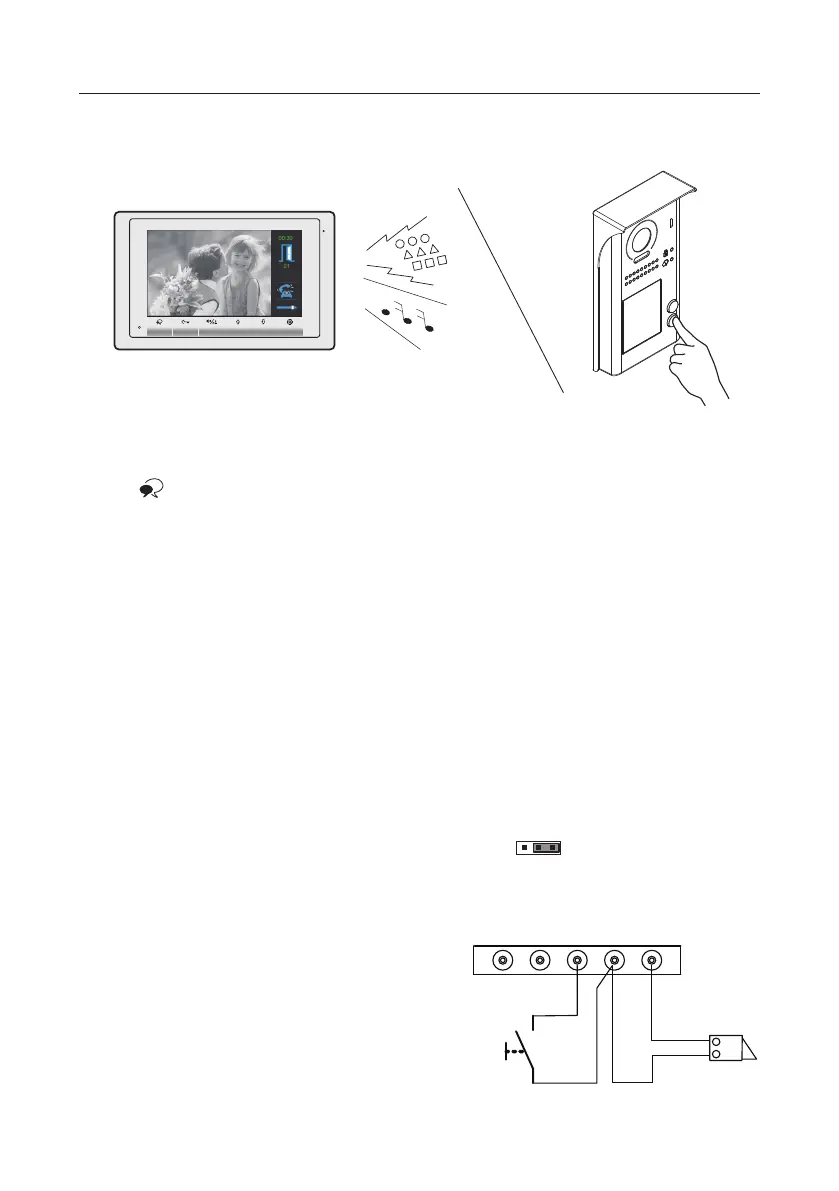
11. Answering a Call
When there is a call from a video door station.The call tone sounds, an image will be
displayed on the screen.
Press TALK/MON button on the panel, begin communicating hands free with the
visitor for 90 seconds.
While communicating with the visitor, unlock the door, adjust volume / brightness / contrast
are available. More details, please refer to the user manual of indoor monitor.
Note: If nobody answers the phone, the screen will be turned off automatically after 40 seconds.



 To Next Page