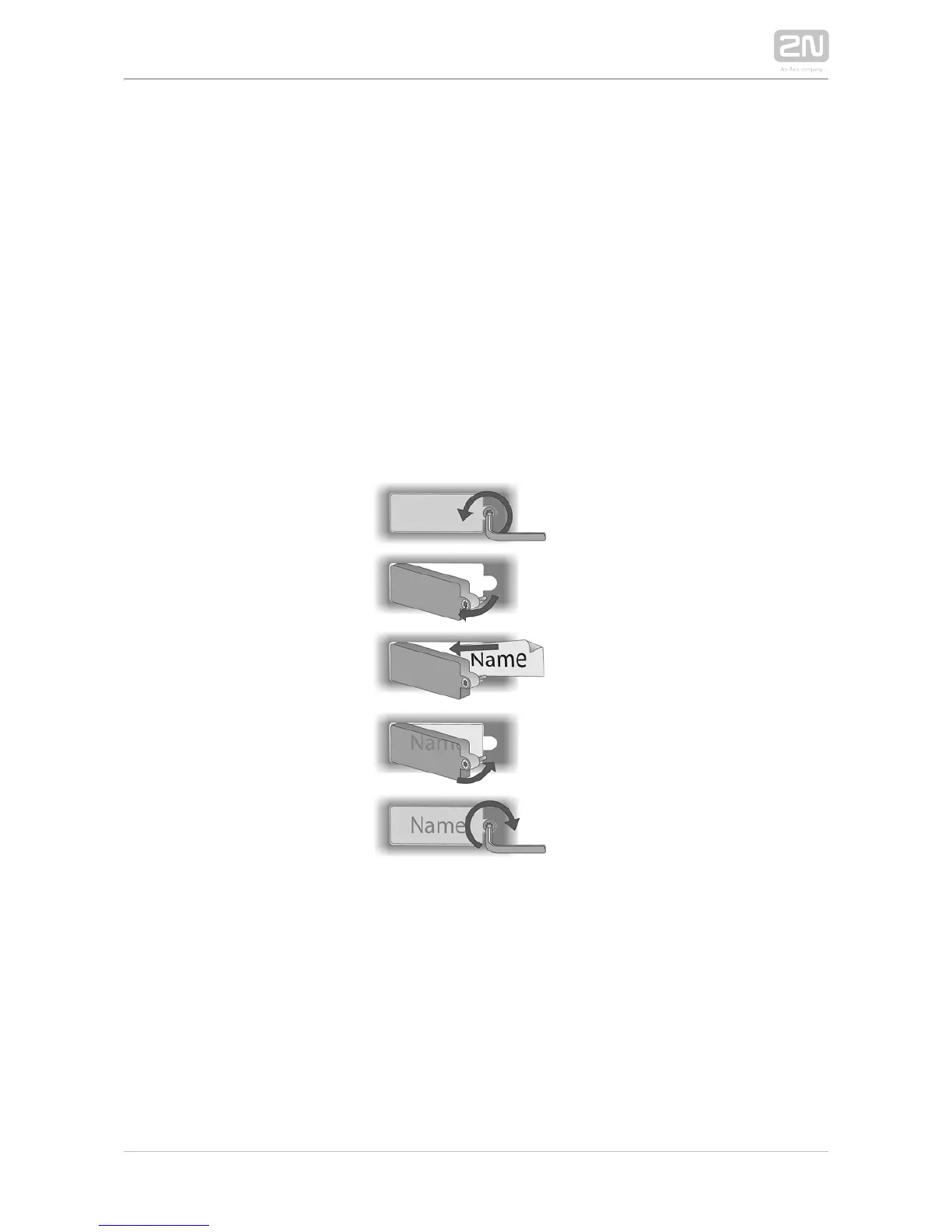
1.
2.
3.
4.
Tag Inserting/Replacing Instructions
2N IP Force
®
provides an intuitive, easy access to the name plates. The tags are easy
to insert and replace even without a manual. You need not remove the front panel and
thus are not exposed to the risk of loss of components while replacing the tags.
Loosen the name plate screw using the wrench enclosed, for example. You can
open the name plate window like a door without losing the tightened screw.
Remove the used or blank name tag and insert a new tag.
Close the name plate window and tighten the screw appropriately.
Check the click effect of the buttons: if the button fails to click properly when
pressed (when moved by approx. 0.5 mm), the tag is too thick or thin. Make sure
that the button clicks when you press it on both ends.



 To Next Page