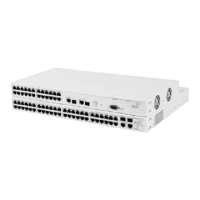
Switch 4950 — Front View Detail
15
LEDs Ta b le 5
lists LEDs visible on the front of the Switch, and how to read their
status according to color. For information on using the LEDs for problem
solving, see “Checking for Correct Operation of LEDs”
on page 23.
Ta b l e 5 LED behavior
LED Color Indicates
Port Status LEDs
Packet Yellow Packets are being transmitted/received on the port.
Off No packets are being transmitted/received on the port.
Status Green A high speed (1000 Mbps) link is present, and the port
is enabled.
Green flashing A high speed (1000 Mbps) link is present, but the port
is disabled.
Yellow A low speed (10/100 Mbps) link is present, and the
port is enabled.
Yellow flashing A low speed (10/100 Mbps) link is present, but the port
is disabled.
Off No link is present.
Module Status LEDs
Green The Module is installed and supported. The Link Status
has been determined for a single port Module.
Yellow The Module is installed and supported. The Module
has multi-ports or there is no Link for a single port
Module.
Yellow flashing The Module is installed but not supported. Note that
the 4950 unit will continue to operate normally.
Off The Module is not installed.
Unit LEDs
1–4 Green When the Switch can form a stack with other Switch
4950 units the LED indicates the position of the unit in
the stack and that a link is present.
Off The Switch is stand-alone or the link is not present.
Power/Self Test LED
Green The Switch is powered-up and operating normally.
Green flashing The Switch is either downloading software or is
initializing (which includes running a Power On Self
Test).
Yellow The Switch has failed its Power On Self Test.
Off The Switch is not receiving power.














 To Next Page