Rack-mounting
21
If the Switch is installed in a 19-inch rack or closed assembly its local air
temperature may be greater than room ambient temperature.
■
The air is as free from dust as possible.
■
The unit is installed in a clean, air conditioned environment.
■
No more than four Switch units are placed on top of one another, if
the units are free-standing.
Rack-mounting
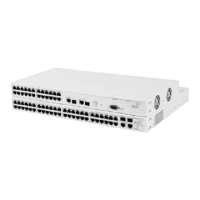
The Switch is 1.5U and will fit in most standard 19-inch racks. However,
as each Switch requires a shelf or runner to support its weight, you may
need to allow a 2U space within the rack for each Switch.
WARNING: The Switch should only be used in a rack if it is mounted on
runners, a shelf, or a tray to support the weight. The rack-mount kits
alone are not sufficient to support the weight of the switch. The rack-
mount kits must not be used to suspend the Switch from under a table or
desk, or attach it to a wall.
CAUTION: Disconnect all cables from the Switch before continuing.
Remove all self adhesive pads from the underside of the Switch if they
have been fitted.
CAUTION: You must use a shelf or support that will not obstruct the air
flow through the side panels of the Switch.
To rack-mount your Switch:
1 Place the Switch the right way up on a hard flat surface, with the front
facing towards you.
2 Locate a securing bracket over the mounting holes on one side of the
Switch, as shown in Figure 3
.
3 Insert the three screws and tighten with a suitable screwdriver.














 To Next Page