10
e) Determine how you want to ground
the Model 724 monitor:
• If you are grounding through the AC
adapter, perform Step (3f.)
• If you are grounding through the
Model 724 ground wire, perform
Step (3g.)
f) Attach the tinned ground wire of the
AC adapter to the ground terminal of
the two-wire connector by inserting
into opening and securing with
screwdriver (Fig. 5B). Continue with
Step (3h.)
g) Attach the tinned Model 724 ground
wire to the ground terminal of the two-
wire connector by inserting the tinned
end into opening and securing with
screwdriver (Fig. 5A). Attach the ring
terminal end with a screw (not supplied)
to an electrical ground (Fig. 7B).
Continue with Step (3h.)
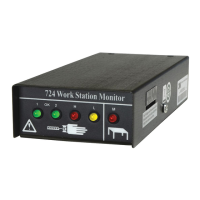
h) Plug the two wire connector into the
jack at the rear of the Model 724
monitor (Fig. 8).
Caution
Do not physically connect the 3M
2380 Monitor/Table Mat Cord and the
Model 724 ground wire together. The
ground wire for the work surface and
the ground wire from the 724 monitor
must be attached to separate electrical
grounds. However, by attaching the
wires to the same ground but at a
different physical location, the Model
724 monitor can check for loose or
lost connections to ground. This would
be indicated by the high red work
surface lamp (M) illuminating.
i) Insert the plug connector of the
Model 732 remote cable into the
732 jack at the rear of the Model
724 monitor (Fig. 9).
j) Insert the round connector from the
AC adapter into the jack at the rear
of the Model 724 monitor.
Fig. 5A & 5B - Attaching ground wire/cord and work surface cord to two-wire connector.
Fig. 5A Fig. 5B
Two-Wire Connector
2380
2380
DC Plug
724 Ground Cord
2380
AC Adapter
Ground Wire
AC Adapter
Attach 724 Ground Cord or
AC Adapter Ground Wire



 To Next Page