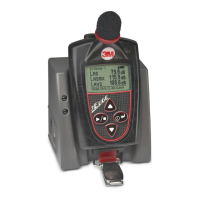
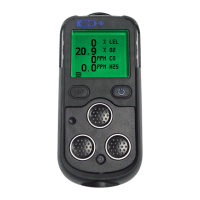
1. To communicate with DMS and the Edge, turn on the Edge
and plug in the USB cable from the edge to the pc. Then,
open 3M
TM
Detection Management software DMS.
2. Click on the button. The instrument communications
panel will appear. Select the Edge instrument and model from
the dosimetry family.
3. Click on the Edge(s) check boxes in the EdgeDock-5 section and
then select the button.
• DMS will stated Download completed. Select the Data Finder tab
to view your data (if not automatically selected.)
Downloading data and DMS
Locking/unlocking
1. Turn the dosimeter on and press the button to start
measuring.
2. To enable the lock, press button. Then press
three consecutive times, within one second intervals.
3. To unlock, press the button within on second intervals
and then press button.
Communicating DMS start screen



 To Next Page