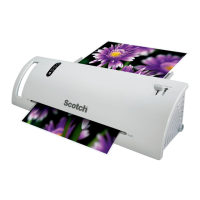
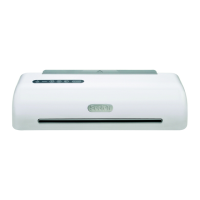
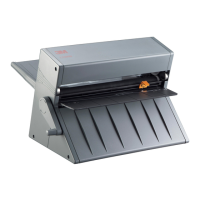
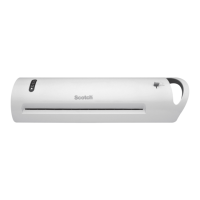
The Scotch™ PRO Laminator (models TL1306/TL1307) is a thermal laminator designed for home, home office, or small office use. Its primary function is to laminate paper or flat paper-like items between two film layers using thermal laminating pouches.
Function Description:
The laminator operates by heating thermal laminating pouches to seal documents or items. Users select a heat setting based on the pouch thickness (3 mil, 5 mil, or 6 mil) and insert the item, sealed end first, into the input tray. The machine then pulls the pouch through, laminating the item, which exits from the outlet. A pouch reverse button is available to retrieve pouches if they do not feed correctly or jam. The device features an On/Off button that glows green when turned on, and a Ready light that turns green when the laminator is warm enough for use.
Important Technical Specifications:
- Size: 19.8 x 6.1 x 4.3 inches
- Laminating Speed: 18.0 inches per minute
- Nominal Weight: 7.9 pounds
- Number of Rollers: 4
- Entry Width: 12.3 inches (accommodates items up to 12.3" wide)
- Power Requirements: 120VAC, 60Hz, 1500W, 12.5A
- Maximum Thickness: 0.015 inches (for items being laminated)
- Ready Time: Approximately 1 minute
- Pouch Thickness Compatibility: Designed for 3 to 6 mil thick pouches (1 mil = 0.001 inches). Using pouches thinner than 3 mil or thicker than 6 mil may cause jamming or affect lamination quality.
Usage Features:
- Ease of Use: Simple operation with dedicated buttons for On/Off, 3 Mil Heat Setting, 5 Mil Heat Setting, 6 Mil Heat Setting, and Pouch Reverse.
- Input Tray: An extendable input tray that clicks into stops when fully open, providing a stable surface for inserting items.
- Visual Indicators: A green glowing On/Off button and a green "Ready" light indicate power status and readiness for use, respectively. Heat setting buttons glow white when selected.
- Automatic Exit: Laminated items automatically exit the outlet. Users should not pull the pouch through the laminator.
- Pouch Reverse Function: A dedicated button on the control panel allows users to reverse a pouch if it jams or does not feed correctly.
- Cooling Period: Laminated items should be allowed to cool on a flat surface after exiting the machine. Thicker items may require a second pass for complete sealing.
- Automatic Shut-off: The laminator will turn itself off after a period of inactivity.
- Power Cord Storage: The power cord can be stored in a well on the bottom of the unit by wrapping it around posts.
- Intended Items: Suitable for laminating standard printer paper, photo paper, and business cards.
- Unintended Items: Not for use with currency, Social Security cards, thermal papers, stamps, credit cards, cards with magnetic strips, sharp objects, unheatable plastic, historically significant papers, or one-of-a-kind items.
- Pouch Handling: Items should be inserted close to the sealed edge of the pouch. Pouches should not be cut before laminating, nor should the open end of the pouch be inserted first, as this can cause the film to roll up inside the machine. Items must be laminated on both sides to prevent film from rolling up inside the machine.
- Troubleshooting Visual Imperfections: If white blotches or a hazy appearance occur, the item should be sent through the laminator again, sealed end first.
Maintenance Features:
- Cleaning: The exterior can be wiped with a cloth to remove dust after the laminator has cooled down and is unplugged.
- Storage: Store the laminator in a cool, dry location. The input tray should be returned to its initial stored position when cool.
- Fragile Components: The roller heater is fragile, so the machine should not be dropped or subjected to impact.
- Ventilation: Do not cover vent holes on the bottom of the machine while the power is on.
- Hazardous Voltage/Fire/Hot Surfaces: Do not place laminating film or other items on top of the laminator. Keep the power cord away from hot surfaces. Allow laminated items to cool before handling. Do not cover vent holes.
- Malfunction/Damage: Do not operate if the power cord or plug is damaged, if it's not working properly, or if it has been dropped.
- Servicing: Do not remove the outer housing or attempt to service or repair the unit; it contains no user-serviceable parts.
- Power Connection: Connect only to a grounded 120V outlet. Unplug when not in use for extended periods.
- Environment: Do not use in wet environments. For indoor use only.
- Supervision: Not intended for use by unsupervised children.
- Stability: Always place the unit on a flat, secure, stable surface.
- Unattended Operation: Do not leave the laminator unattended while turned on or in use.
- Cooling for Storage/Moving: Allow the laminator to cool before moving or storing.
The device is constructed with an ABS plastic housing. It is covered by a Limited Warranty for thirty (30) days from the date of purchase, covering defects in material and manufacture. 3M's liability is limited to replacement, repair, or refund of the purchase price.

 Need help?

 To Next Page
 General