Industrieweg 87
2651BC Berkel & Rodenrijs
4EVAC Compact 500 quick guide
DoP OD 16.47
Page 19 of 33
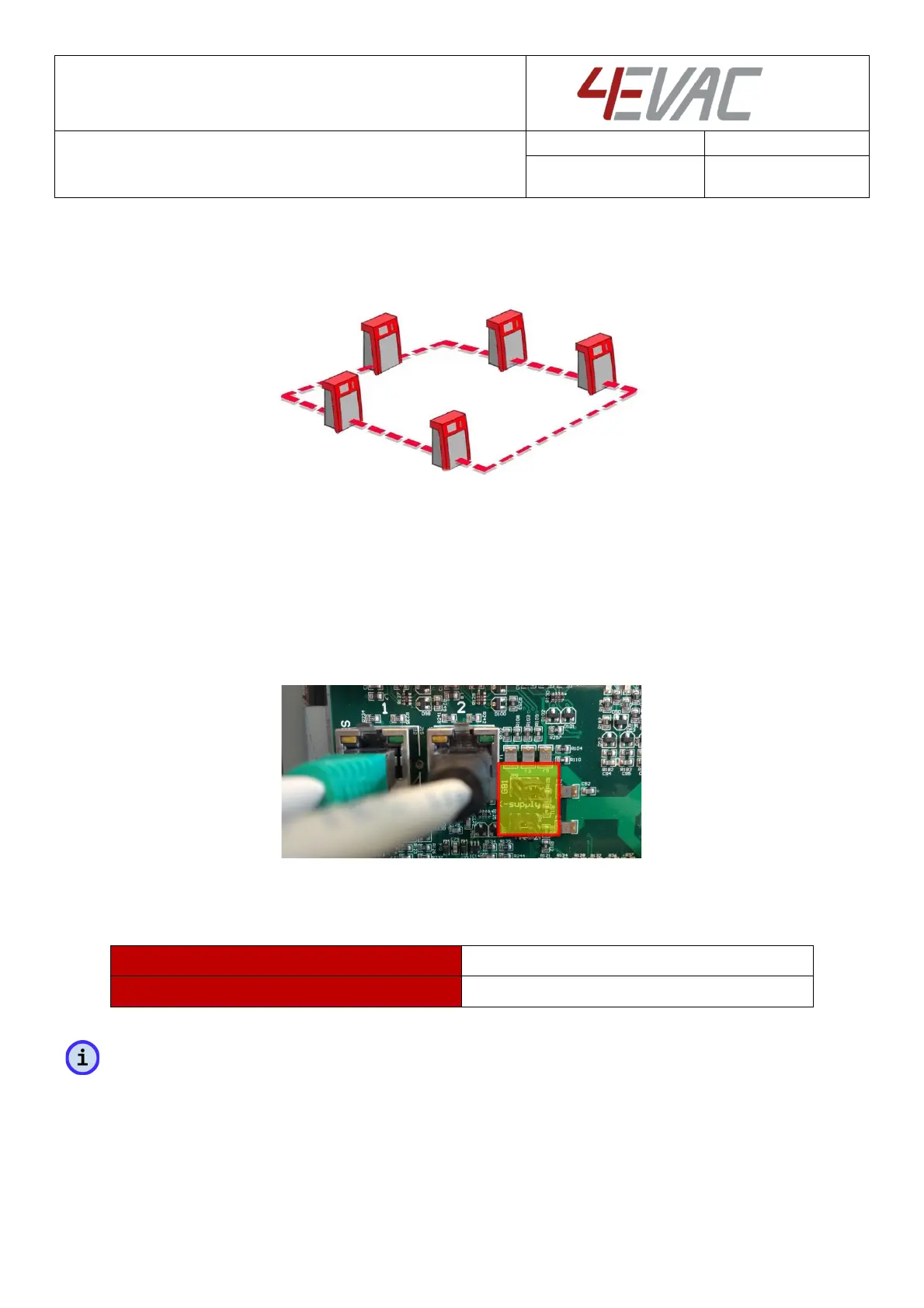
To create a redundant G-Net ring between multiple Compact 500 main units, connect both G-Net ports
between every unit in the network, so that you create a closed ring.
G-Net redundant ring topology
Power over G-Net
Both G-Net ports have individual settings for 24V DC power over G-Net for remote G-Net devices. Power
over G-Net is set by means of hardware jumpers located next to the G-Net port.
Power over G-Net is dedicated to supply devices connected to the G-net port, such as fiber transceivers.
Location of G-Net 24V power jumpers
By default, power over G-Net is off.
jumpers in the LEFT position:
jumpers in the RIGH position (or no jumper):
NOTE: If you connect G-Net directly between Compact 500 main units, please leave the power jumpers in
the OFF position.



 To Next Page