Industrieweg 87
2651BC Berkel & Rodenrijs
4EVAC Compact 500 quick guide
DoP OD 16.47
Page 22 of 33
To modify system configuration settings, create a new config file, move it to the micro SD card and replace
the memory card on the Compact 500 mainboard. The memory card may be removed and mounted during
system runtime (hot plug). Mounting the memory card requires a manual device reset afterwards.
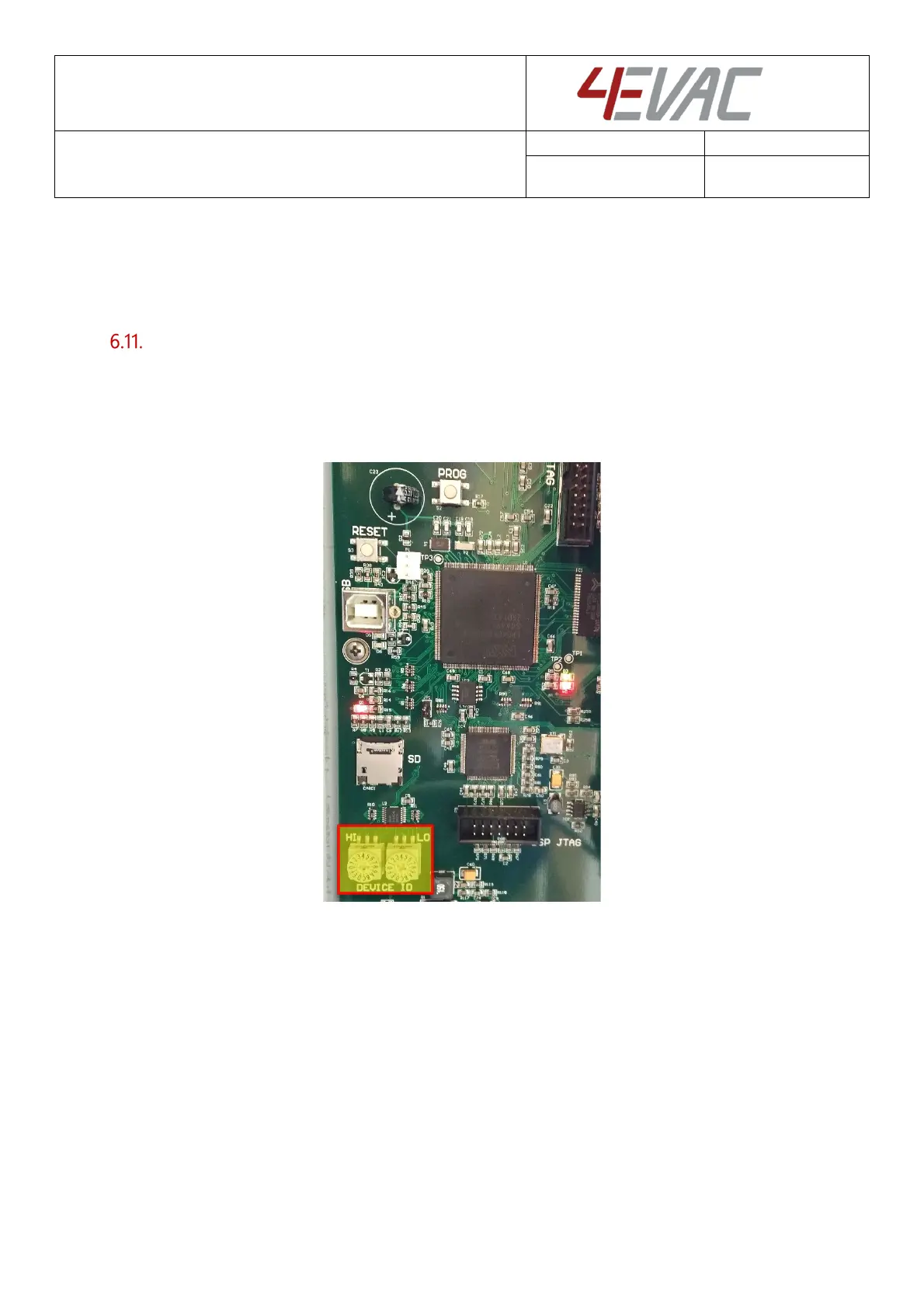
Device ID setting
The compact 500 is equipped with a rotary switch which determines the Device ID (or device address) in
the network. Make sure that the Device ID set on the rotary switch complies with the ID defined in the
configuration settings for this device.
Wrong ID settings will trigger system faults because of a configuration error.
Double rotary switch - Device ID


 To Next Page