Loopdrive – User and installation manual
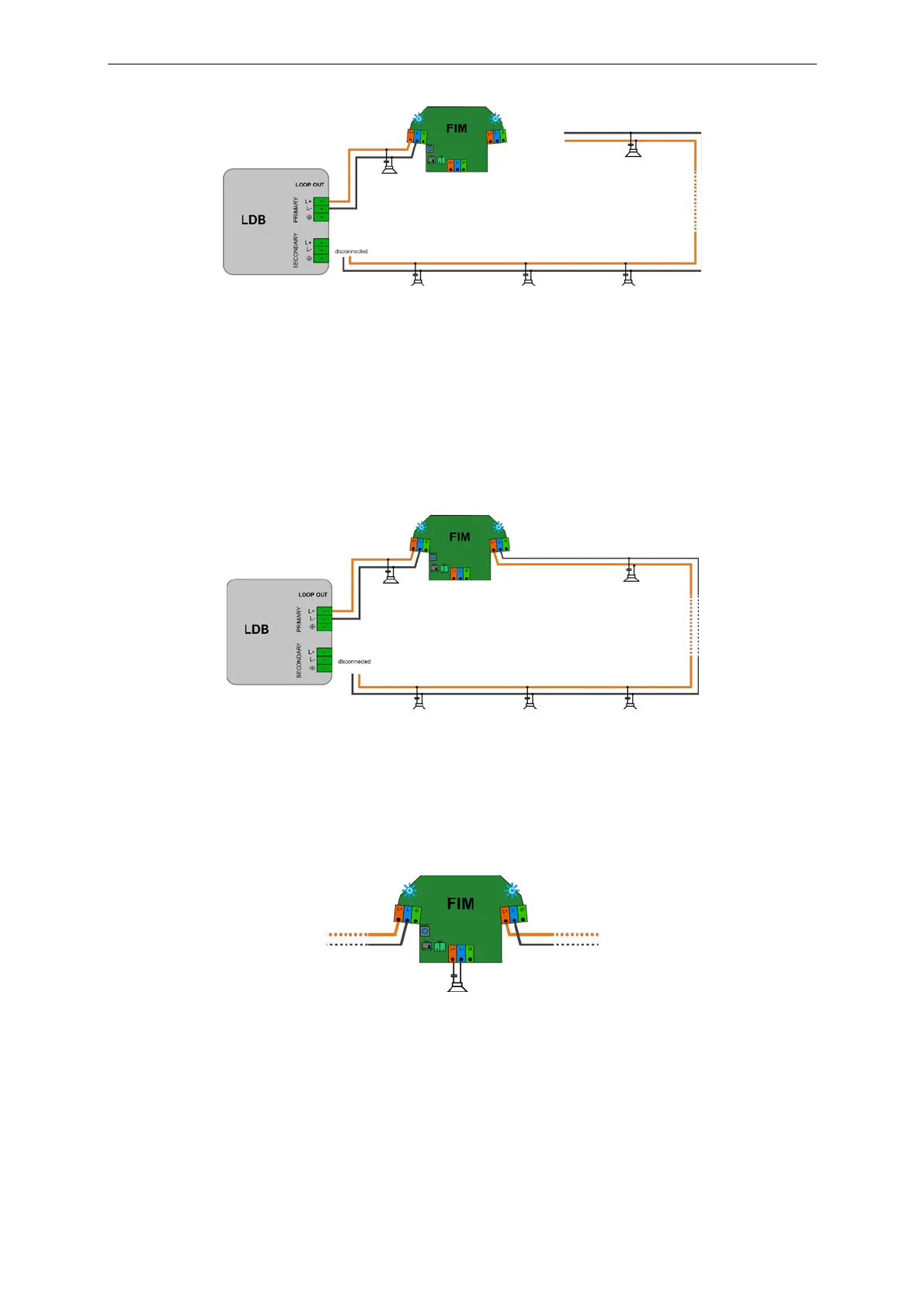
Picture 6. Side A of FIM connected to PRIMARY side of the
l
oo
p
.
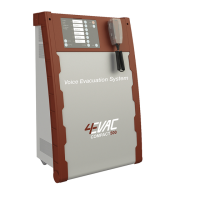
h. Connect the outgoing loop cable to the loop connector on the other side of FIM. Mind the cable polarity!
i. If the cabling is correct, FIM will remain in SERVICE MODE.
If there’s short circuit on the outgoing cable, FIM will change blinking colour to orange, indicating problem.
LDB will also detect short circuit and indicate it with SHORT indicator. Fix the cabling before further
installation.
Picture 7. Both sides of FIM properly connected to the
l
oo
p
.
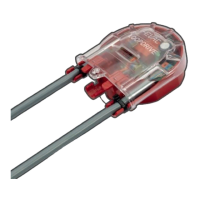
j. If needed, connect the loudspeaker or T-Branch line to FIM T-Branch connector.
In case of short circuit on T-Branch, FIM will indicate the problem with orange alternating blinking (see
indications table).
Picture 8. Single loudspeaker connected to T-Branch
connector
.
k. If EOL resistor is installed on the end of T-Branch line, switch the EOL monitoring ON. In case of T-Branch
line open, FIM will indicate the problem with interrupted orange alternating blinking (see indications table).
l. If the T-Branch cabling is correct, FIM will remain in SERVICE MODE.


 To Next Page