Loopdrive – User and installation manual
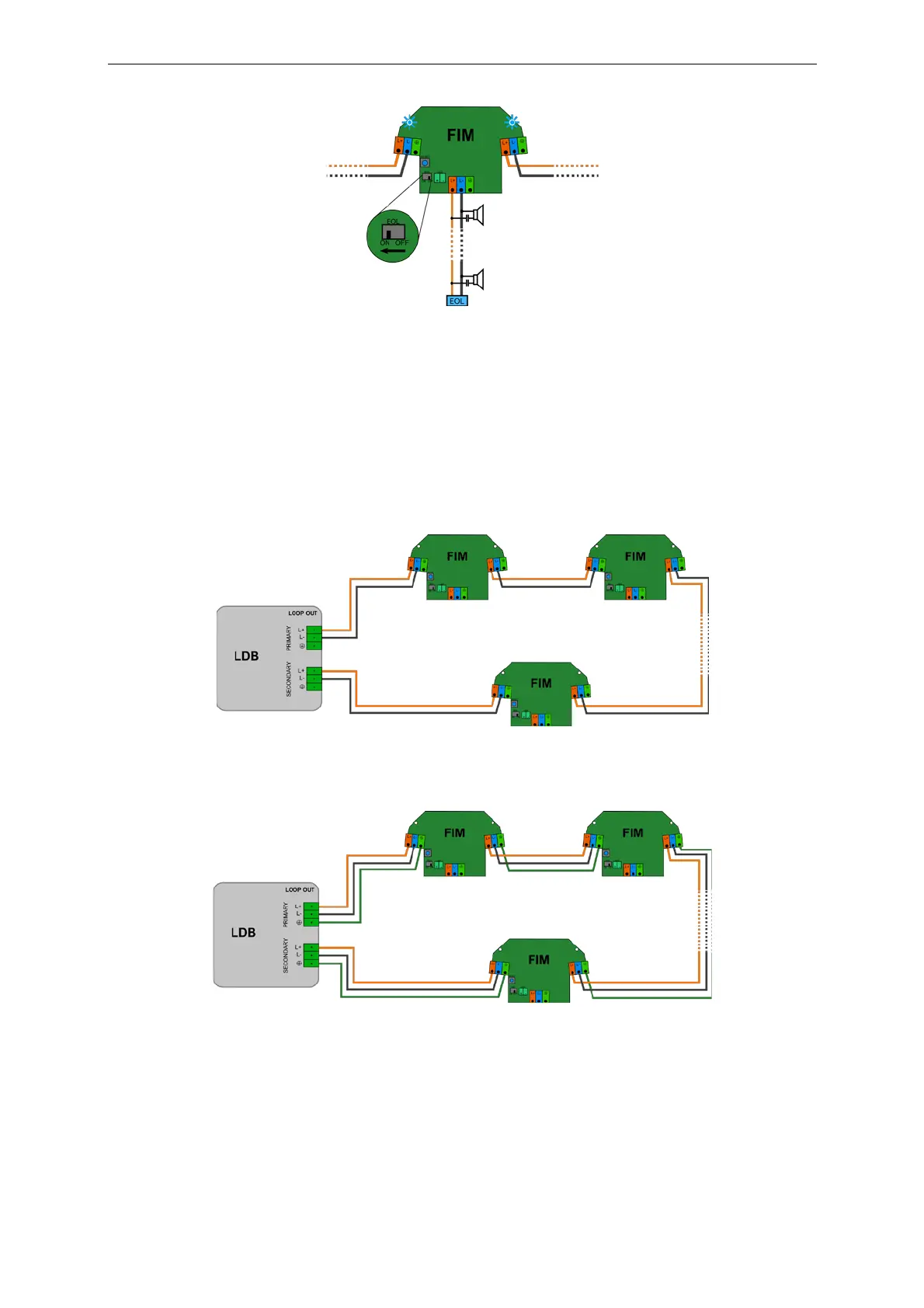
Picture 9. T-Branch line with EOL monitoring.
m. Proceed with installation of the next FIM module.
n. When the last FIM is installed on loop go back to the LDB and connect the returning loop cable to
SECONDARY output connector of LDB.
If cable loop is complete and works correctly, OPEN indication on LDB will stop, LDB remains in SERVICE
MODE.
o. Reset LDB by pushing RESET button. LDB will reboot to QUIESCENT MODE.
Picture 10. Complete Loopdrive installation diagram.
Picture 11. Complete Loopdrive installation - with optional GROUND wire loop.


 To Next Page