Quick Installation Guide
OWL630 Enterprise Access Point ENGLISH
Copyright © 4IPNET, INC. All rights reserved.
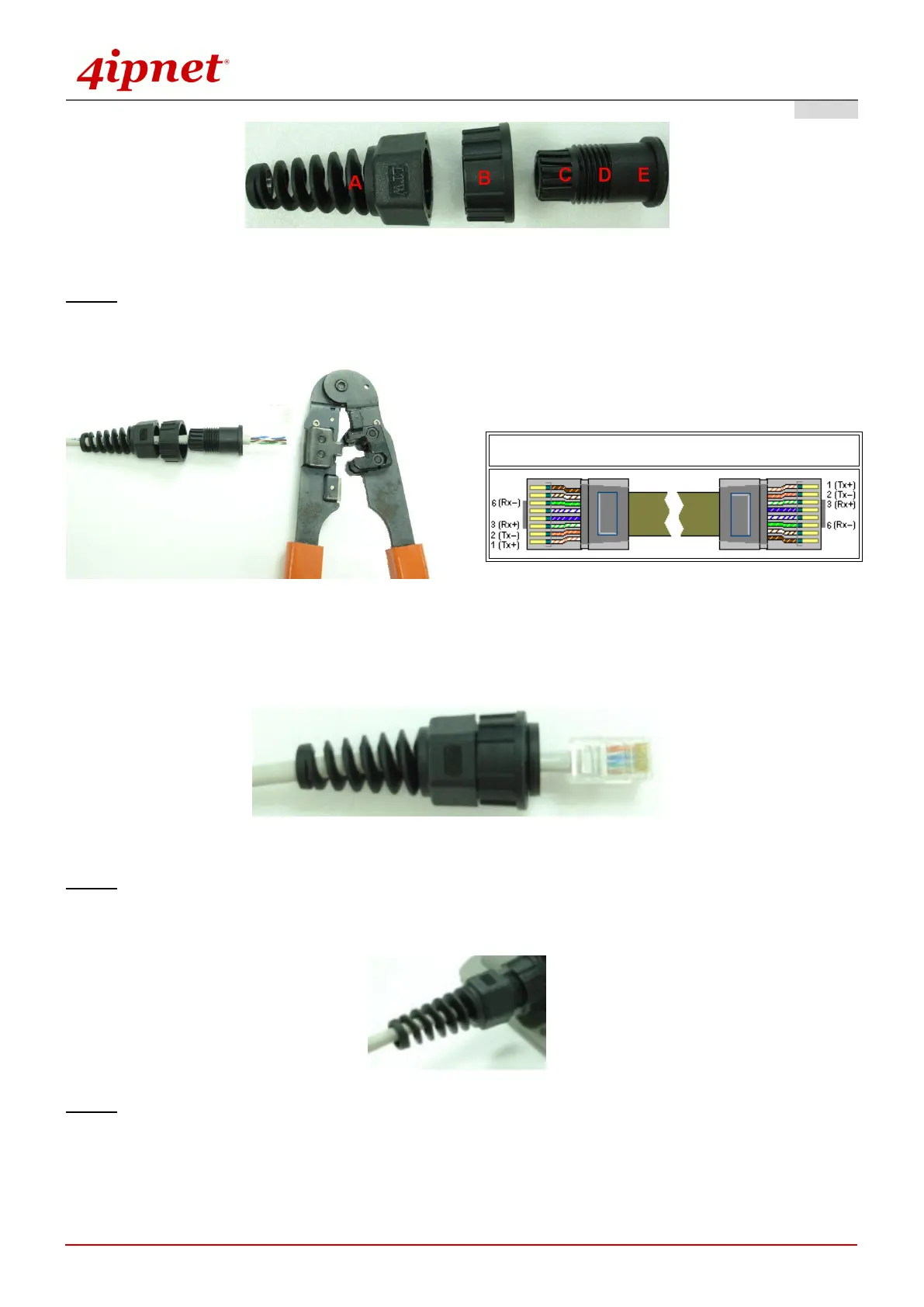
Step 3. Insert the cable through the main parts and install a RJ-45 connector using straight-through method
(both ends are in the same wiring order: 1 (Tx+), 2 (Tx-), 3 (Rx+), 6 (Rx-)).
Example after the RJ-45 connector is installed,
Step 4. Plug the RJ-45 Connector into the system and make sure the locking ring is locked in well.
Step 5. Coil waterproof tape to secure the parts of the Waterproof Connector Pack.
Straight-Through Cable Wiring



 To Next Page