14
Owner`s manual
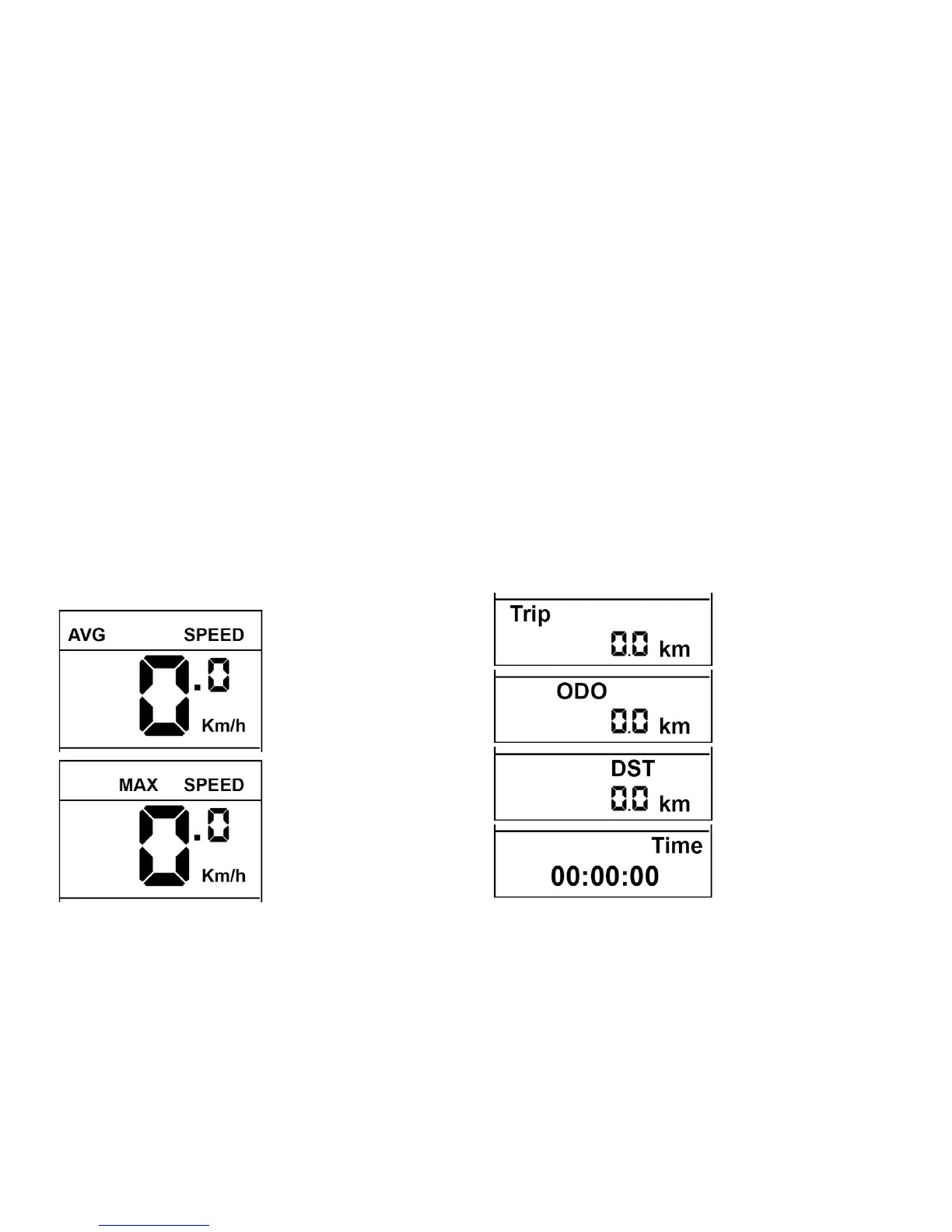
Retrieval information of the display speed
In the upper area of the display you can switch between displays
showing the:
Current speed (SPEED),
The average speed (AVG SPEED) and the
Maximum driven speed (MAX SPEED)
To switch, between modes, press the select button on the
controller, for at least 1 second.
The values AVG SPEED and MAX SPEED are temporary values,
which are deleted when resetting the trip meter.
Retrieval information on the display panel is displayed
in kilometres
The multi-function display is in the lower third of the display, it is for
the selective display of:
trip (TRIP),
the Odometer (ODO),
the residual range (DIST)
You can switch between these display values by pressing the select
button on the controller.


 To Next Page