21
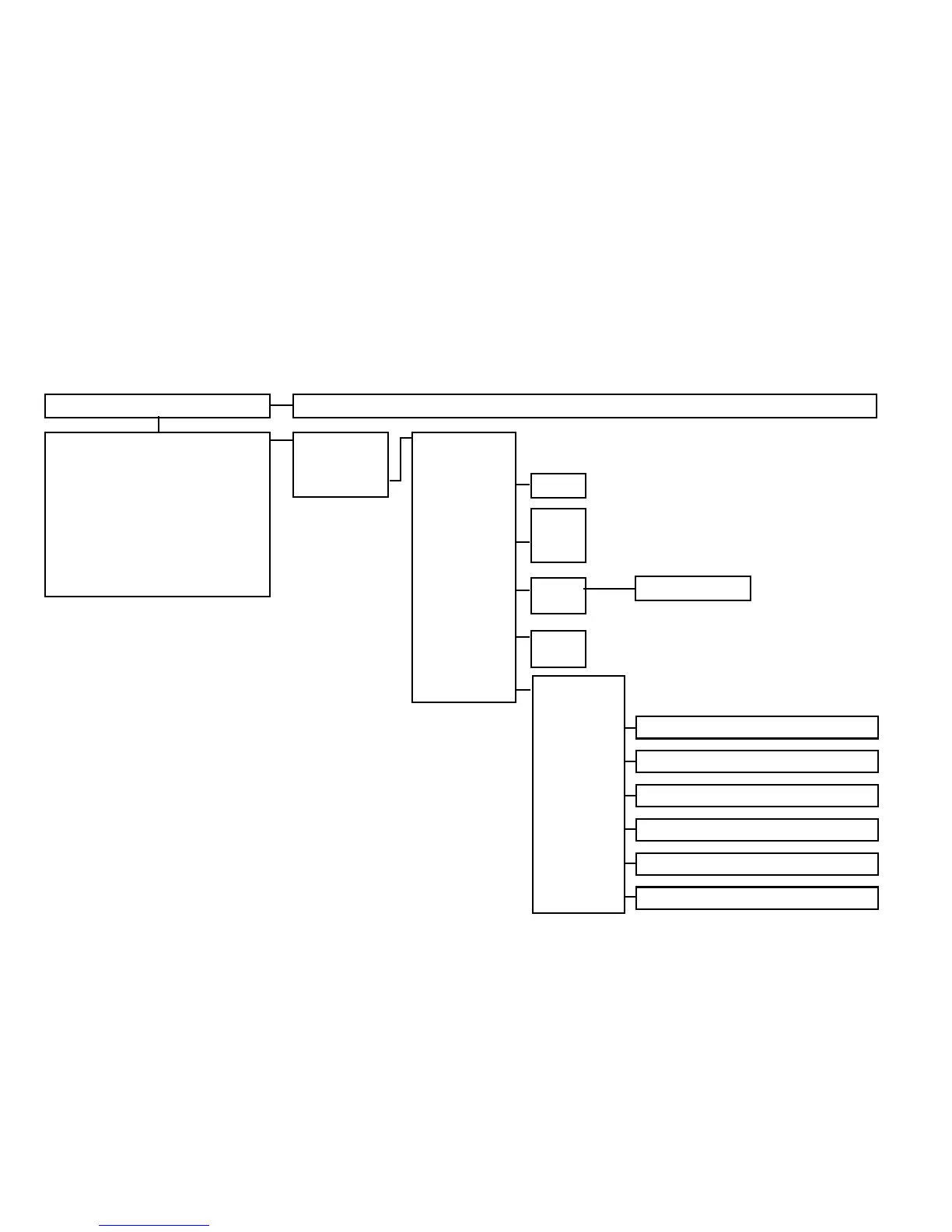
Display start symbol Transmission of the software updates to the motor
Start menu
Activation assistance level
Activation recuperation
Activation pushing aid
Display speed
Display remaining range
Display remaining energy
Display travelling information
Various warning indicators
Back
Switching off
Menu
Back
Tour Reset
Travel mode
Braking
assistant
Pushing aid
Settings
o.k.
Boost
Tour
Eco
On
Off
On
Off
Back
Easy Display
Date
Time
Language
Units
Information
Speed selection
On / off
Year / Month / Day
Hour / Minute
DE / GB / FR / NL
Kilometres / Miles
Software status sMMI, motor, battery



 To Next Page