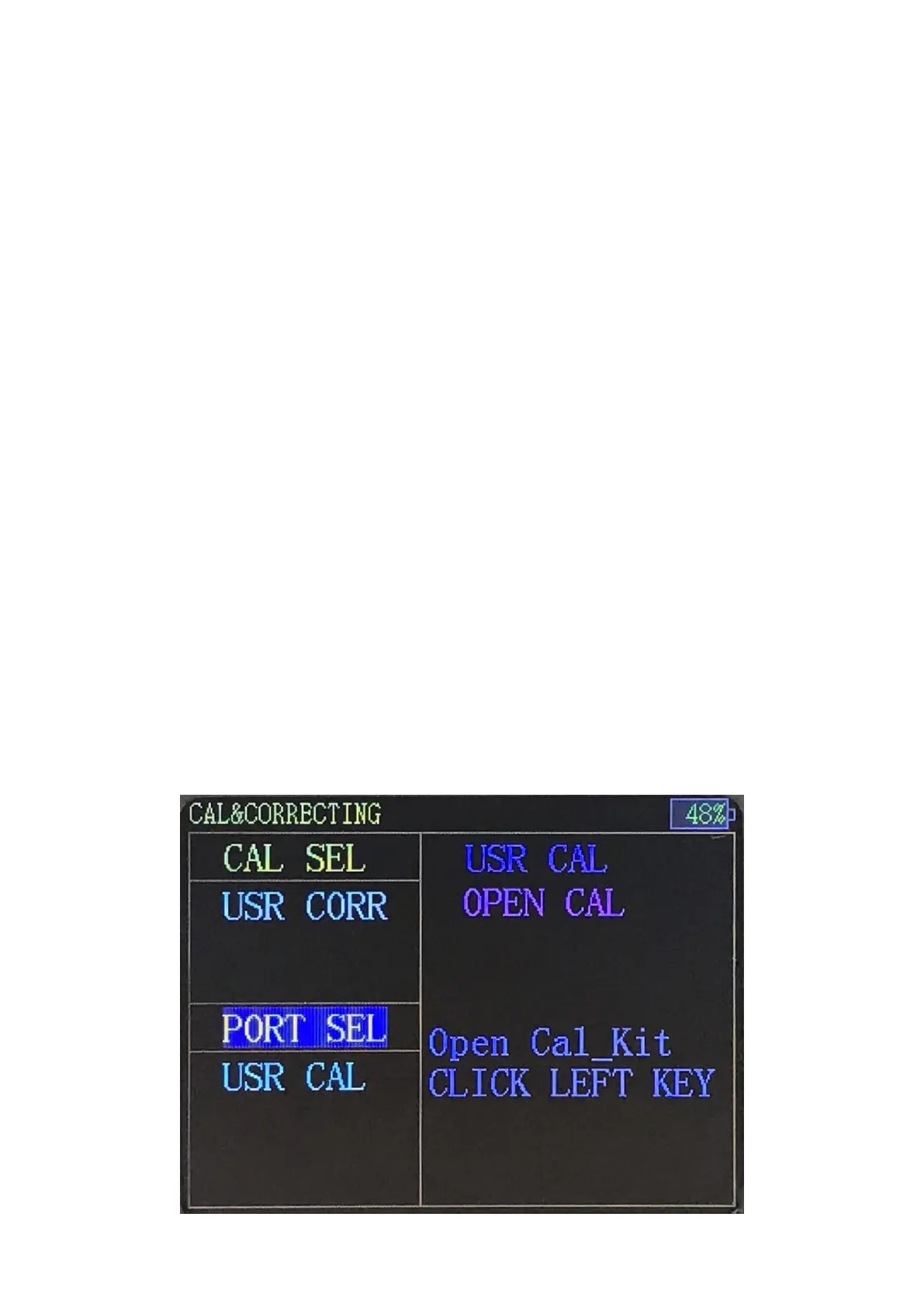
Correction Option located in the upper left side of the interface, and
there are two options for now, one is "System Correction", the other is
"User Correction ". When selecting “System Correction”, the
measurement standard is at the SMA port of the product.
Calibration Option located in the lower left side of the interface. Press the
left/right key to switch between Correction and Calibration, and turn the
knob to select a specific item. After selecting the Calibration, press "OK"
to start.
Note: The calibration is irreversible, because once the calibration is
starting the previous calibration data has been cleared and completing
the whole calibration process is necessary.
The calibration of this product is based on SOL which is short circuit
(SHORT), open circuit (OPEN), and load (LOAD).
Calibration Process:
Select Highlight when the "Port Calibration" item is selected, and then
press "OK" key to start.
After entering calibration, there is a preparation process and then it will
show a prompt message “OPEN CAL”. Please connect the OPEN CAL and
press the left button to start calibration.


 To Next Page