EasyManua.ls Logo

A&D GX-300 - User Manual

A&D GX-300
92 pages
Print Icon
To Next Page IconTo Next Page
Loading...
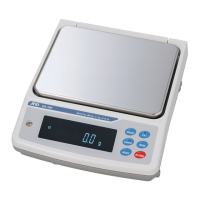
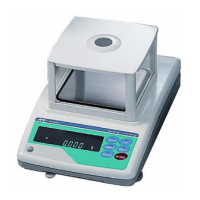
GX SERIES
GX-200/GX-300/GX-400
GX-600/GX-800/GX-1000
G
X-2000/GX-3000/GX-4000/GX-6100
GX-6000/GX-8000
Multi-Function Balance
INSTRUCTION MANUAL
1WMPD4000087D

Table of Contents

Questions and Answers

  • D
    danatranSep 10, 2025
    What does excess characters error mean on A&D GX-300 Scales?
    • K
      Keith CarrollSep 12, 2025
      An excess characters error on A&D Scales means the balance received excessive characters in a command. Confirm the command to resolve this issue.
  • D
    Danielle RuizAug 23, 2025
    How to fix stability error on A&D GX-300?
    • M
      martinezangelaAug 23, 2025
      A stability error on A&D Scales typically arises from environmental factors. To resolve this, prevent any vibration, drafts, temperature changes, static electricity, and magnetic fields around the scales. You can also adapt the balance to the environment.
  • L
    Lee GomezAug 25, 2025
    What causes calibration weight error on A&D GX-300 Scales?
    • G
      Gregory MoralesAug 25, 2025
      A calibration weight error on A&D Scales occurs when the calibration weight is either too heavy or too light. Confirm the correct calibration weight value. Press the CAL key to return to the weighing mode.
  • B
    bmarshAug 26, 2025
    Why am I getting a communications error on my A&D GX-300 Scales?
    • C
      Christopher BrownAug 27, 2025
      A communications error on A&D Scales indicates a protocol error during communication. To fix this, confirm the correct format, baud rate, and parity settings.
  • E
    Ernest SmithAug 27, 2025
    What to do if A&D GX-300 show weighing pan error?
    • D
      Dr. Karl WillisAug 28, 2025
      If your A&D Scales display a weighing pan error, ensure that the weighing pan is correctly installed. After confirming its installation, calibrate the balance.
  • H
    Heather MooreAug 29, 2025
    What does timeout error mean on A&D GX-300?
    • A
      Aaron Alvarez IIIAug 29, 2025
      A timeout error on A&D Scales means the balance didn't receive the next character of a command within one second. Confirm the communication to resolve this.
  • J
    Jason RomeroSep 18, 2025
    What to do when A&D GX-300 Scales memory is full?
    • G
      ggilmoreSep 18, 2025
      If the memory of your A&D Scales is full, delete data in memory to store new data.
  • E
    Emily ZunigaSep 12, 2025
    How to resolve undefined command error on A&D Scales?
    • D
      Danielle ObrienSep 12, 2025
      To resolve an undefined command error on A&D Scales, confirm the command you are trying to execute.
  • K
    kyle30Sep 8, 2025
    What causes automatic response adjustment zero error on A&D GX-300?
    • B
      Brooke GuerreroSep 8, 2025
      The automatic response adjustment zero error on A&D Scales indicates that there is something on the pan. Clear the pan and press the CAL key to return to the weighing mode.
  • V
    villajamesSep 5, 2025
    How to fix clock battery error on A&D GX-300?
    • C
      Christopher WilsonSep 5, 2025
      If your A&D Scales display a clock battery error, it means the clock backup battery has been depleted. Press any key and set the time and date to resolve this.

Summary

Introduction to GX Series Balance

Key Features of the GX Series Balance

Highlights key features like built-in calibration, automatic self-calibration, data memory, and GLP output.

Unpacking the Balance

Installing the Balance Correctly

Step-by-step guide to installing the balance, including leveling, connecting the adapter, and warm-up.

Precautions for Balance Use

Pre-Use Precautions and Setup

Guidelines for optimal balance performance, including environment, leveling, power, and initial calibration.

Precautions During Operation

Important considerations during weighing, such as static electricity, magnetic materials, temperature differences, and handling.

Available Weighing Units and Modes

Basic Weighing Operations

Basic Weighing in Gram Mode

Step-by-step guide for basic weighing, including taring, placing samples, and reading values.

Counting Mode Operation

Explains how to use the counting mode, including storing sample unit mass and using ACAI for accuracy.

Percent Mode Operation

Details how to use the percent mode for target weighing or sample variability checks.

Response Adjustment and Self Check

Automatic Response Adjustment & Self Check

Explains automatic adjustment for environment influence and balance performance self-checking.

Balance Calibration Procedures

Automatic Self Calibration

Details automatic calibration due to temperature changes and how it functions.

Internal Mass Calibration (One-Touch)

Step-by-step guide for calibrating the balance using its built-in internal mass.

External Weight Calibration

Instructions for calibrating the balance using an external weight, including usable weights.

Correcting Internal Mass Value

Explains how to correct the internal mass value to conform to an external weight.

Function Table Navigation and Details

Detailed Function Table Parameters

Provides detailed descriptions for parameters within the Environment, Comparator, and Data output classes.

Comparator Function Setup

Details how to set up the comparator function for checking weighing data against limits.

Data Memory Functionality

Density Measurement Procedure

RS-232 C Interface and External Input

Balance Command List

List of RS-232 C Commands

Comprehensive list of commands for querying data, controlling the balance, and managing memory.

Troubleshooting Balance Issues

Checking Performance and Environment

Guides on verifying balance operation, repeatability, and environmental suitability.

Understanding Error Codes

Lists and explains various error codes displayed by the balance and their causes.

Balance Specifications

A&D GX-300 Specifications

General IconGeneral
Capacity310 g
Readability0.001 g
Repeatability (σ)0.001 g
Linearity±0.002 g
Operating Temperature5°C to 40°C
Power SourceAC adapter (included)
InterfaceRS-232C
CalibrationExternal calibration
DisplayVacuum Fluorescent Display
Units of Measurementg, oz, ozt, ct, mom, dwt, %
Pan Size128 mm (diameter)
Stabilization Time1.5 seconds (typical)

Related product manuals