EasyManua.ls Logo

A&D UA-1010 - User Manual

A&D UA-1010
19 pages
Print Icon
To Next Page IconTo Next Page
Loading...
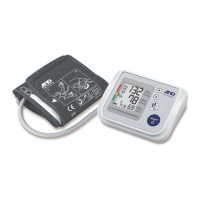
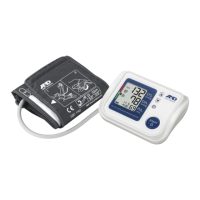
Digital Blood Pressure Monitor
Model UA-1010
Instruction Manual
Original
Manuel d
instructions
Manual de Instrucciones
Manuale di Istruzioni
使用手冊
1WMPD4002223A

Questions and Answers

  • K
    Kerry CoxJul 30, 2025
    Why does my A&D Blood Pressure Monitor give inconsistent readings?
    • T
      Tiffany CraigJul 31, 2025
      If your A&D Blood Pressure Monitor displays readings that seem too high or too low, ensure the cuff is applied correctly, remain still and quiet during the measurement, and position the cuff at heart level with your palm facing up. The device may also have difficulty determining your blood pressure if you have a weak or irregular heartbeat.
  • E
    ebutlerAug 10, 2025
    How to fix a blank display on A&D UA-1010 Blood Pressure Monitor?
    • T
      thomasluisAug 10, 2025
      If nothing appears on the display of your A&D Blood Pressure Monitor, even when you turn it on, the batteries may be drained. Replace all batteries with new ones. Alternatively, the battery terminals may not be in the correct position. Reinstall the batteries, ensuring the negative and positive terminals match the markings in the battery compartment.
  • M
    Michelle MarshallAug 19, 2025
    What to do if the cuff on my A&D UA-1010 is not inflating?
    • R
      Rodney ChangAug 20, 2025
      If the cuff on your A&D Blood Pressure Monitor isn't inflating, it could be due to low battery voltage. If the LOW BATTERY mark is blinking, or if the batteries are completely drained and no mark appears, replace all batteries with new ones.

Summary

Precautions

Safety and Handling Guidelines

Guidelines for safe operation, cleaning, and avoiding damage.

Symbols

Display Symbols

Explains symbols that appear on the device display during use.

More Display Symbols

Additional Symbol Explanations

Further explanation of symbols shown on the device display.

Operation Modes

Normal Measurement Procedure

Step-by-step guide for taking a normal blood pressure reading.

Using the Monitor: Setup

Battery Installation and Replacement

Guide for installing and replacing the device batteries.

Using the Monitor: Clock

Using the Monitor: Cuff

Selecting and Applying Arm Cuff

Guidance on selecting and applying the arm cuff.

Using the Monitor: Best Practices

Measurement Best Practices

Recommendations for accurate measurements and post-measurement actions.

Measurements: Standard

Measurements: Advanced

Notes for Proper Measurement

Troubleshooting

Common Problems and Solutions

Lists common issues and their recommended solutions.

Maintenance

Technical Data

A&D UA-1010 Specifications

General IconGeneral
BrandA&D
ModelUA-1010
CategoryBlood Pressure Monitor
LanguageEnglish

Related product manuals