Supplementary features
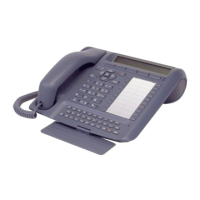
Aastra 5380/Aastra 5380ip 65
eud-1282/1.3 – R3.0 – 04.2013
Read text messages
Your display shows New message and the envelope symbol. The right-hand indicator
LED is lit.
New
Scroll to New and press the Select Foxkey.
<Text message>
Select one of the text messages stored in the system and press the Select Fox-
key.
<Text>
Adapt or expand the text and press the Send Foxkey.
<Destination>
Select the destination and press the Select Foxkey.
<Phone number>
For User and Group: Enter the call number and press the Send Foxkey.
➔The text message is sent.
Note:
If the display shows Not available, the text message could not be sent.
Show
Show text message:
Press the Show Foxkey.
➔The display shows the sender and the date/time of the text message.
Read
Read text messages:
Select the text message you want and press the Read Foxkey.
➔If the text message runs over several lines, use the navigation key to scroll.
Delete
Delete text message:
Press the Delete Foxkey.
➔The text message is deleted; the next text message is retrieved from the
memory.
Or:
Press Menu > Text message > Inbox to select the text message and continue as
described above.
Note:
You can select and read a new text message even during an active call using
Text message > Inbox.
☛
☛


 To Next Page