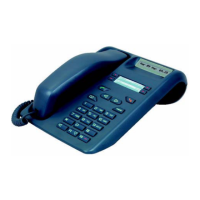
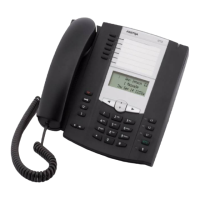
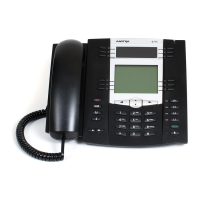
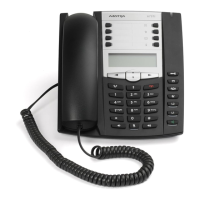
Installation Manual for digital sets - IP sets - SIP sets AMT/PTD/TR/0001/3/7/EN
SIP PHONES 51i, 53i, 55i AND 57i 05/2008 Page 9-19
9.11.1.1 Entering the SIP phone IP parameters
Configuring the phone in French language:
• Press on the ’Options’ key’
• Select in the options list the menu ’Preferences’ and press on ’Select’ softkey
• Select in the menu ’Preferences’ the ’Language’ parameter and press on ’Select’ softkey
• Select in the menu ’Language’ the ’Screen Language’ parameter and press on ’Select’ softkey
-> Use the navigation keys to change language and validate with the ’Done’ softkey
• Select in the menu ’Language’ the ’Input Language’ parameter and press on ’Select’ softkey
-> Use the navigation keys to change language and validate with the ’Done’ softkey
Configuring Network Settings:
• Press on the ’Options’ key
• Select in the options list the menu ’Administrator menu’ and press on ’Select’ softkey
• Enter administrator password (22222) and validate with the softkey’Enter’
• Select the menu ’Network settings’ and press on ’Select’ softkey
• Use the navigation keys to reach the various network parameters:
1- DHCP
2- IP address
3- Sres mask
4- Gateway
…
Configuring TFTP Server parameters :
• Press on the ’Options’ key’
• Select in the options list the menu ’Administrator menu’ and press on ’Select’ softkey
• Enter administrator password (22222) and validate with the softkey’Enter’
• Select the menu ’Configuration Server’ and press on ’Select’ softkey
• Select the menu ’TFTP settings’ and press on ’Select’ softkey
• Select the menu ’Primary TFTP’ and press on ’Select’ softkey
• Enter the TFTP Server address and validate with the ’Done’ softkey:
In this example, the configuration will be:
•DHCP=no
• IP address=192.168.65.102
• Sres mask=255.255.255.0
• Gateway=192.168.65.254
• TFTP server=192.168.65.250



 To Next Page