next device.
For further details on the OriginCplus, please refer to the publica-
tion entitled OriginCplus - Initializing and Monitoring Aaton Ti-
mecode.
7.4.2 Using an External SMPTE Device
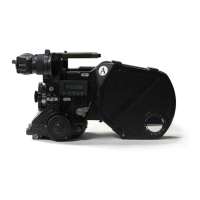
• Make sure the XTRprod has a battery attached and is not running.
• Choose the SMPTE timecode device that will be supplying the ti-
mecode (such as a Fostex PD2 or a Nagra IVS-TC). Set the time of
day and date, and set its clock to free run mode.
• Connect a cable from the SMPTE output of the timecode device
to the Lemo5 chassis mount on the base of the camera.
• Set the on/off switch on the camera to run or test position, then
off again; this will send the timecode information to the camera bo-
dy. The small yellow diode on the camera base will blink to indicate
running timecode. Also, the XTRprod will display
hours/minutes/seconds when the button marked time is pressed.
Toggling this button will also display year/month/day and the came-
ra's equipment #. No production ID will be recorded.
• Disconnect the cable from the body and proceed to the next devi-
ce.
7.5 MONITORING AND MAINTAINING
AATONCODE
AAfter initialization, the OriginCplus should be left on during produc-
tion to act as a visual reference and for quick drift monitoring. Once ti-
mecode has been initialized into the camera(s) and sound recorder, accu-
rate time will be individually maintained in each machine for six
hours. It is suggested, however, that new timecode be re-initialized after
four hours or so as a precautionary measure. Get into the habit of using
the OriginCplus to monitor timecode drift in each device when possible;
every 2-3 hours or so is recommended.
106


 To Next Page