ked.
• All references to alignment in these instructions are made looking
at the port of the camera from its front, unless otherwise noted.
6.4.1 Before You Begin
Before attempting a field conversion, make sure you have the follo-
wing tools on hand:
• 1 small slotted screwdriver
• 1 loupe - approximately 5x magnification.
• 1 standard metric Allen L-wrench set - sizes delivered with camera
• 1 orange stick
• 1 Port Alignment Tool * - part #09-100-62 for Aaton Port, #09-
100-61 for PL Port
You'll also need the following equipment:
• 1 Battery, preferably with XLR4 powercable
• 1 Zoom lens
The conversion should be performed on a clean workbench or table
by an individual who is somewhat mechanically inclined.
4.2 Procedure
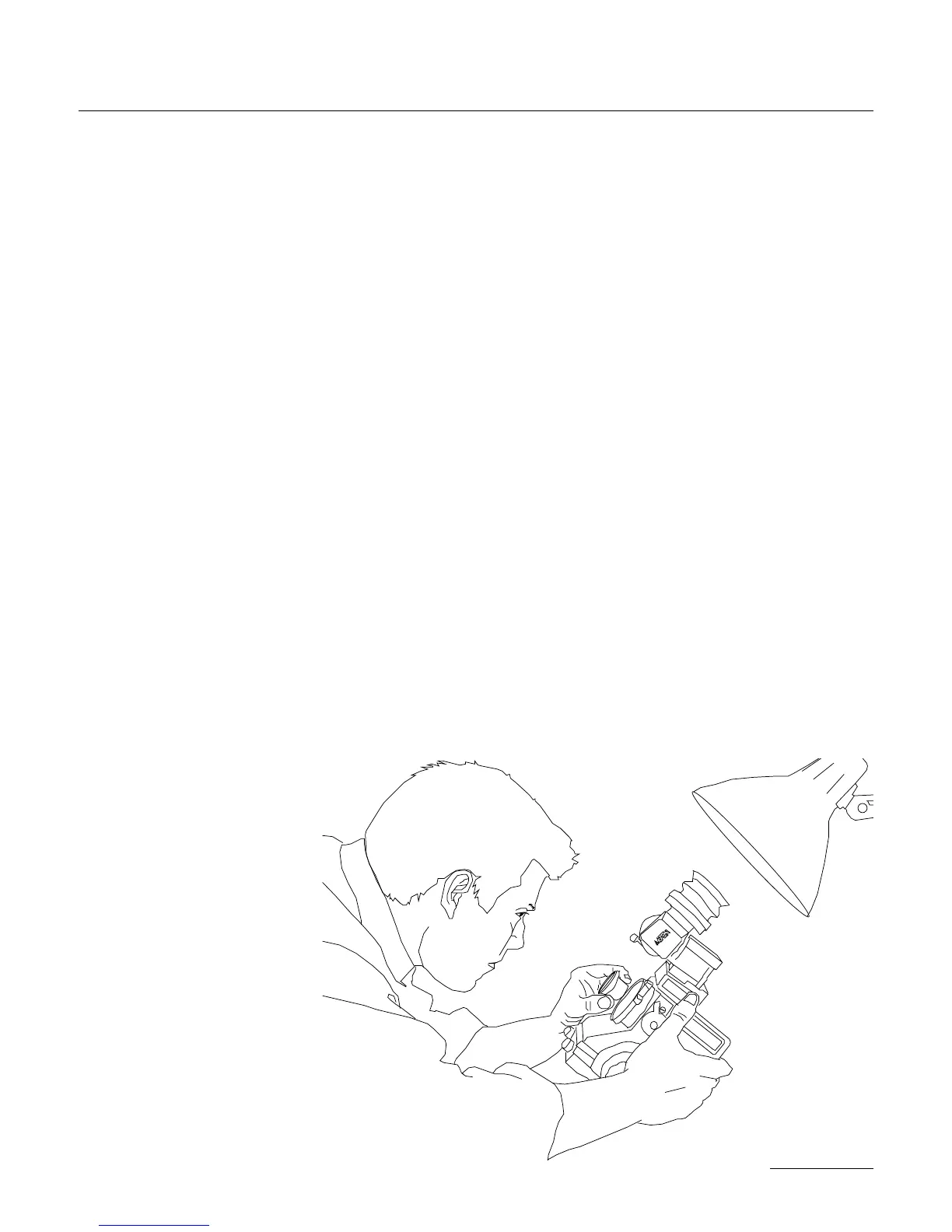
• 1. Changing the Viewing Screen
The XTRprod features an in-
terchangeable viewing screen
which allows the user to ins-
tall a screen with the 16 or
Super16 aspect markings of
his choice. See section Chna-
ging the viewing screen to
proceed.
• 2. Checking Screen Cente-
ring
It is adviseable to check that
the newly-installed screen is
properly centered to the aper-
93
SUPER16


 To Next Page